Beginner production guide
How to Make Drum and Bass: A Step-by-Step Guide for Beginners
Every drum and bass track comes down to the same few steps: a fast tempo, a two-step beat, a sub and a mid bass, chords, and a DJ-friendly arrangement. Here is each one, with our own DAW screenshots, audio and settings.
Quick answer
To make drum and bass, set your DAW to 174 BPM, program a two-step kick-and-snare beat, add a sine sub plus a mid-bass layer, write chords and a melody in one key, then arrange in 16 and 32-bar phrases and mix the low end mono. Breaks, risers and fills add movement and carry you into each drop.
- Set the tempo to 174 BPM.Anywhere from 170 to 176 is normal.
- Program a two-step beat.Kick on beat 1 and the "and" of 3, snare on 2 and 4, over a top loop.
- Add a sine sub bass.Clean, mono and ducked around the kick.
- Design a mid bass on top.FM, distortion, filters and LFOs, or a detuned reese.
- Write chords and a melody.One key, simple phrases, space for the bass.
- Arrange in 16 and 32-bar phrases.Intro, build-up, drops and breakdown, with FX into each drop.
- Mix the low end mono and leave headroom.Balance, duck and soft-clip before mastering.
Prefer to watch? Our 40-minute beginner video builds a liquid drum and bass drop from scratch in FL Studio, following the same steps as this guide.
Drum and bass at a glance
The numbers and building blocks from this guide in one table. Each row links to where we cover it in full.
| What | Typical for DnB | Start here |
|---|---|---|
| Tempo | 170–176 BPM; 174 is the most common modern tempo | Step 1: tempo |
| Core beat | Two-step: kick on beat 1 and the “and” of 3, snare on beats 2 and 4 | DnB drum patterns |
| Halftime | One snare per bar on beat 3, so 174 BPM feels like about 87 | Halftime explained |
| Bass layers | A clean, mono sine sub (high cut around 125 Hz) and a mid bass above it (low cut around 90 Hz) | Every DnB bass type |
| Phrases | 8, 16 and 32-bar blocks; every change lands on a phrase boundary | Step 8: arrangement |
| Sections | Intro, build-up, drop 1, breakdown, build-up, drop 2, outro | DnB song structure |
| Bar length | One bar at 174 BPM lasts about 1.38 s; 16 bars about 22 s | Bar lengths |
| Mixdown | Mono low end, bass ducked around the kick, headroom before mastering | How to mix drum and bass |
What you need to make drum and bass
A computer, a DAW, some samples and headphones are enough for a finished track.
| What | Why you need it | Free or low-cost option |
|---|---|---|
| A DAW | Where you program, arrange and mix. FL Studio and Ableton Live are popular for DnB; any DAW works. | Ableton Live Lite is enough: our neuro tutorial fits in its eight tracks. Both DAWs offer free trials. |
| A synth | For your sub and mid bass, pads and leads. | Vital has a free version; stock synths like FL Studio's 3x Osc and BooBass work too. |
| Samples | Drums, bass shots and FX get you to a first track fast. | Seven free DnB sample and preset packs in Free Access. |
| Headphones or monitors | To hear the sub bass. Laptop and phone speakers can't reproduce it. | Any decent closed headphones you already own. |
| A MIDI keyboard | Optional, for playing chords and melodies. | Not needed: you can draw every note in the piano roll. |
Make drum and bass in your DAW
| DAW | What our tutorial uses | Tutorial |
|---|---|---|
| FL Studio | Stock tools only: the Sampler, BooBass for the mid bass, 3x Osc for the sub, and Fruity Filter, WaveShaper, Parametric EQ 2 and Limiter | Liquid DnB in FL Studio |
| Ableton Live Lite | Stock devices, a Drum Rack and a sample pack; the eight-track limit is enough for drums, a top loop, bass layers, a sub and some FX | Neurofunk in Ableton |
| Ableton Live | A full liquid track built from scratch by Telomic | Liquid DnB in Ableton |
| Any DAW + Vital | Vital has a free version that covers sub, mid bass, pads and leads | Every DnB bass type |
New to the genre?What is drum and bass?
1.Set up your project at 174 BPM
Set the project tempo to 174 BPM before you write a note: anywhere from 170 to 176 BPM is normal for drum and bass, and 174 is the most common modern tempo.
Make this decision first: changing the tempo later shifts the feel of your drums and any time-synced effects. In FL Studio, click and hold the tempo box in the toolbar and drag up from 130 until it reads 174. In Ableton Live, drag or type the tempo in the top-left corner.
174 isn't a rule: our liquid DnB tutorial uses 174 BPM and our neuro DnB tutorial uses 172, because it suits the groove.
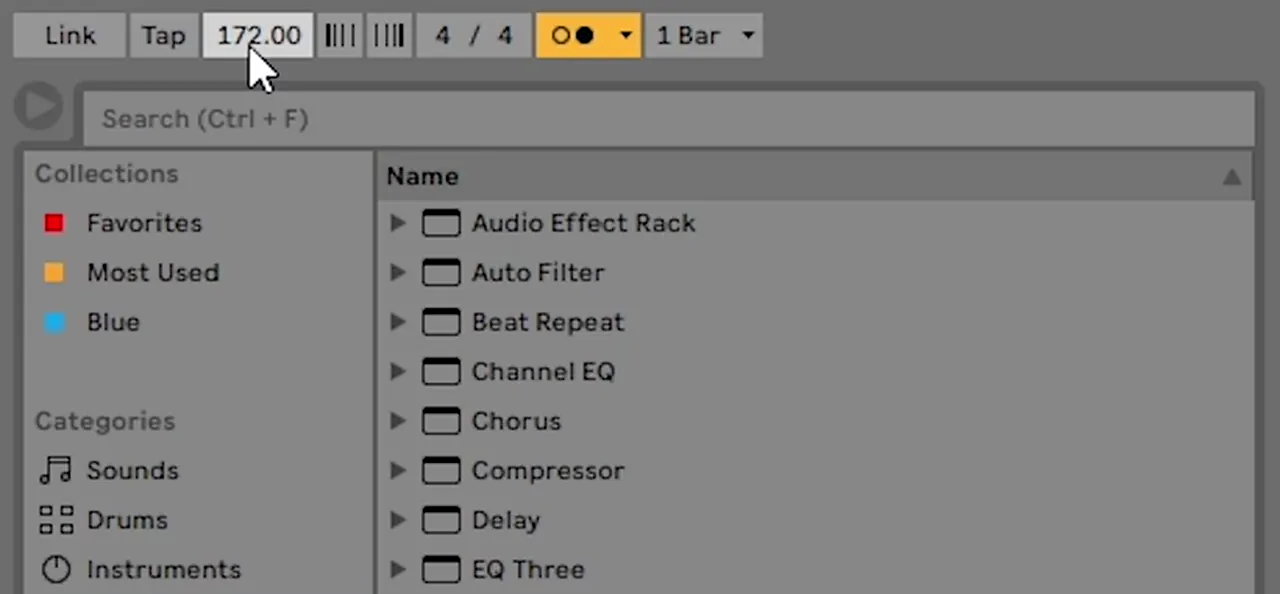
- Add your sample pack to the browser (Add Folder under Places in Ableton).
- Give every sound its own named mixer channel. In FL Studio, double-click a sample, click Track, then press F2 to name it. You can't balance or process a sound that isn't routed.
- New sound, new pattern. In FL Studio, keep the melody, mid bass and sub on separate patterns, or arranging gets confusing.
Handy maths: one bar at 174 BPM lasts about 1.38 seconds, so 16 bars last about 22 seconds.
2.Program the two-step drum beat
The basic drum and bass beat is the two-step: a kick on beat 1 and on the "and" of beat 3, and a snare on beats 2 and 4, over a hi-hat or top loop.
The skip of the second kick, just after beat 3, gives drum and bass its rolling, forward-leaning feel. Here's one bar on a 16-step grid:
Kick: beat 1 and the “and” of beat 3Snare: beats 2 and 4Hats: eighth notes
- Choose a tight, punchy kick and a snare with a strong crack. Short samples keep the beat clean at 174 BPM.
- Load them. In Ableton, drop them on the first two pads of a Drum Rack (kick on C1). In FL Studio, drag them into the Playlist.
- Program one bar, then loop it. An extra kick here and there adds groove, as long as the snares stay on 2 and 4.

If a snare clicks at the end, give it a quick fade-out (the OUT knob under Precomputed effects in FL Studio's Sampler). Lighter "ghost" snare hits between the main ones add swing, especially in liquid and rollers.

Listen: the two-step beat with tops8 sec
Step by step6 drum and bass drum patterns · Drums in FL Studio · Drums in Ableton Live
3.Add breaks and top loops (and the Amen)
Breaks and top loops are sampled drum loops layered under your main kick and snare; they give drum and bass its shuffle and movement, and the Amen break is the most famous of them.
A break is a section of a record where only the drums play. Early jungle producers sampled them from funk and soul records and chopped them into new patterns. The Amen break, a short drum solo from The Winstons' 1969 track "Amen, Brother", became the most sampled of them all. Modern DnB layers a break or "top loop" under one-shot kicks and snares for movement and swing.
- Drag a top loop in under your main drums and extend it to the same length (8 bars in our neuro tutorial).
- Turn it down (clip gain to about −5 dB in the video) and high-pass it so its low end doesn't fight your kick.
- Duck it around the kick and snare. Automate a Utility's Gain to dip on every kick, with a shorter dip on every snare (Insert Shape in Ableton). It's a simple form of sidechain.
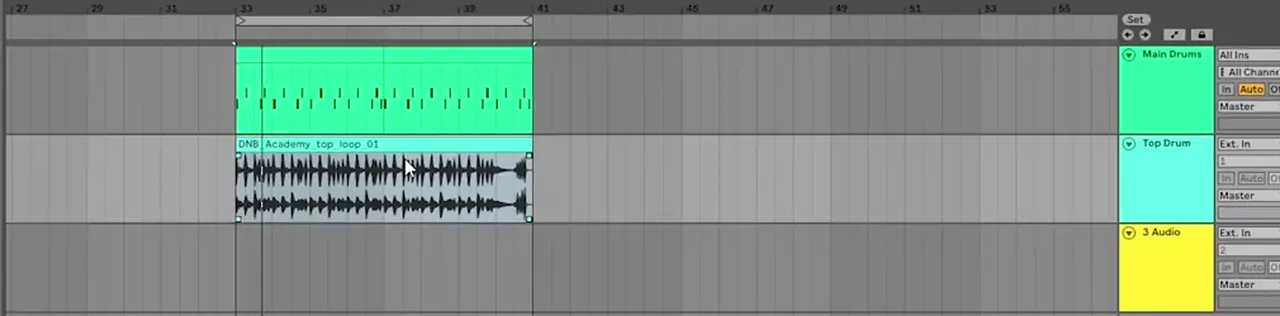
A thin break gets weight from parallel compression, a crushed copy blended under the original. In our punchy drums video that chain has Makeup off, the threshold right down, an inf:1 ratio, a 0.01 ms attack and a 53.6 ms release, brought up slowly under the dry chain.
Listen: a break without, then with parallel compression6 sec
Chop a break, jungle style
Slice a break into single hits, re-sequence them into a new pattern and re-pitch a few slices for variation, with quick rolls at the end of a phrase. Classic jungle often sat at roughly 160–170 BPM over deep, reggae-influenced basslines; parallel compression glues the edits into one performance.
Go deeperHow to make jungle · Parallel compression on breaks · What is jungle?
4.Make a clean sub bass
A drum and bass sub bass is a clean, mostly mono sine wave that plays the low notes of your bassline; you feel it more than you hear it, and it should stay separate from the mid bass above it.
The "bass" in drum and bass is usually two layers: a sub you feel in your chest and a mid bass on top that gives the sound its character.
Any synth with a sine wave will do. In our liquid tutorial we use FL Studio's stock 3x Osc:
- Set all three oscillators to a sine wave and turn the Coarse knobs all the way down.
- Paste in the notes from your mid bass, an octave lower if they sit too high (Ctrl+↓ in the Piano Roll).
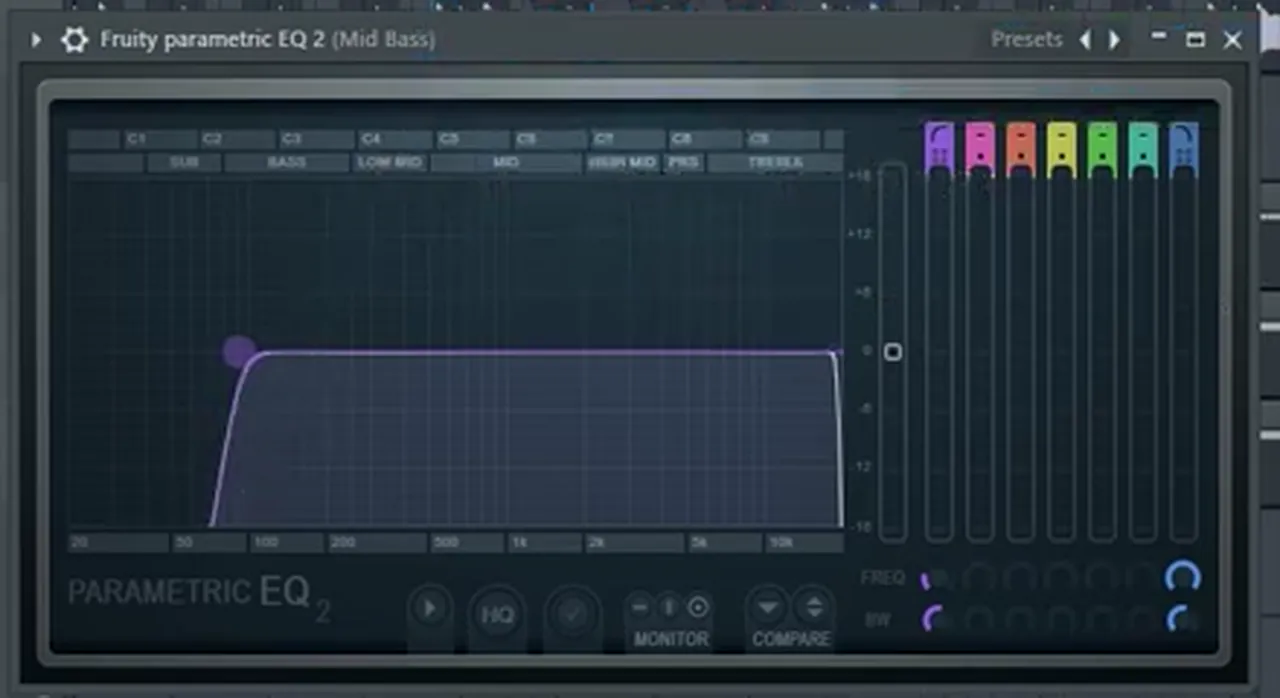
- On its mixer track, add Fruity WaveShaper to boost the harmonics, a Fruity Parametric EQ 2 with the high cut pulled down to around 125 Hz, and a Fruity Limiter on default so the sub never goes over 0 dB.
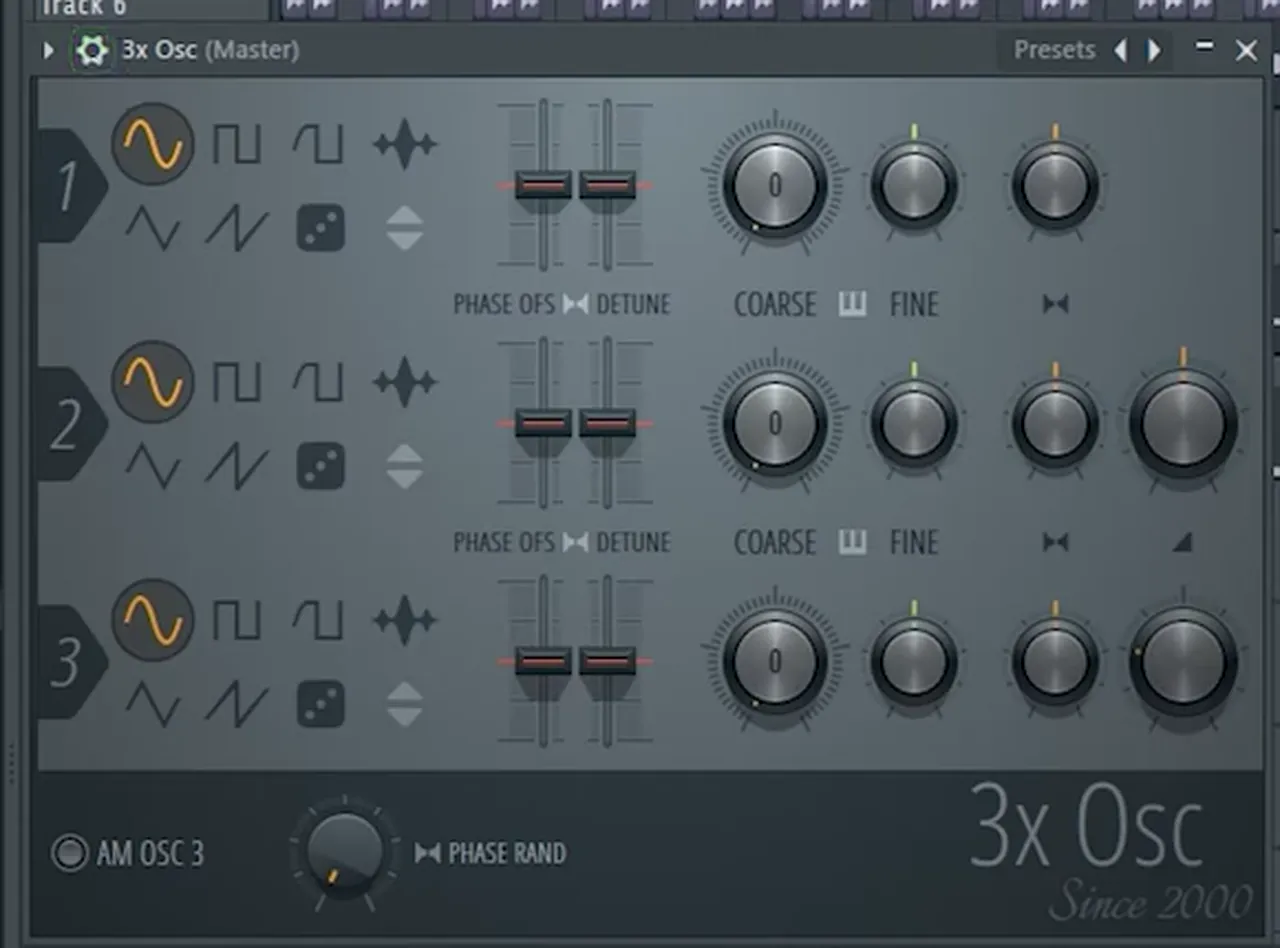
In Vital (free), use a Basic Shapes sine on its own oscillator. From samples? In our neuro tutorial the pack's sub sample is cut with Ctrl+E to follow the bass on top, faded and transposed where the bass changes note.
- Keep it mono. Stereo width belongs higher up, in the mid bass and pads.
- Duck it around the kick so the kick and sub take turns rather than stacking.
- Check it on headphones or a subwoofer. Laptop and phone speakers can't reproduce sub bass.
Listen: the mid bass with the sine sub underneath11 sec
Step by stepHow to make DnB sub bass · Sub bass with 3x Osc · Sub bass from samples
5.Design the mid bass (reese, FM and more)
The mid bass is the layer you actually hear: a sound with harmonics and movement above the sub, usually built with FM, distortion, filters and LFOs, or with a detuned "reese".
This is where a track gets its personality. You don't need an expensive synth: every bass tutorial on our site uses a stock plugin or Vital, which has a free version.
The simplest mid bass in our liquid tutorial is FL Studio's stock BooBass with Fruity WaveShaper (curve point dragged up, for harmonics and power) and then Fruity Filter in Low Pass mode with the cutoff brought down. Add harmonics, then shape them: that's the core of bass design.
Build an FM bass in Vital
Most of our Vital basses start with a sine on oscillator 1 and FM from oscillator 2, with oscillator 2's own level turned all the way down so it only modulates. Then each style goes its own way:
- Roller: LFO 1 on the levels, Trigger mode at 1/8. Roller bass in Vital
- Foghorn: FM, sync and unison into Hard Clip distortion. Foghorn bass in Vital
- Neuro: a Dirty 24dB filter moved by an LFO at a dotted 1/4. Neuro basses like Noisia in Vital
- Neuro stab: a saw through a steep analog filter with a fast LFO envelope. Neuro stab bass with Icicle
- Minimal: a sine with one drawn harmonic, noise and distortion. Minimal DnB bass in Vital
- Techy (Serum): Techy roller bass in Serum
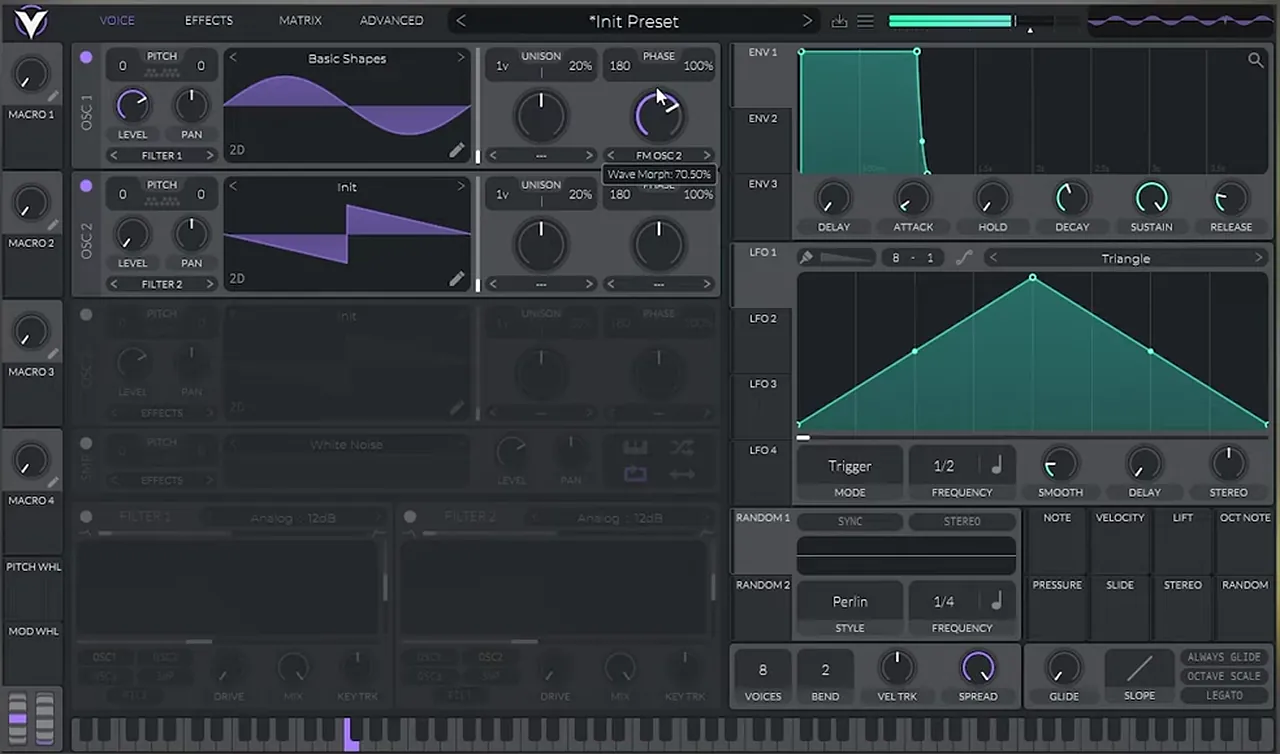
Listen: a finished roller bass made in Vital6 sec
Option: the reese bass
A reese bass is two or more detuned saw waves played together, so the sound rolls on its own; keep the sine sub on its own layer underneath it.
Step by stepFull reese tutorial (Serum & Vital) →
Then make room for the sub: low-cut the mid bass at around 90 Hz, just below the sub's 125 Hz high cut, so the two blend instead of clashing.
Write the bassline
Start on the root note of your key and find the rest by ear (B minor in our liquid tutorial). For neuro and harder styles, write in short call and response patterns: a "call" bass on the first beat, a response riff and a fill at the end of every two bars. Repeat it and change the sounds, not the rhythm.
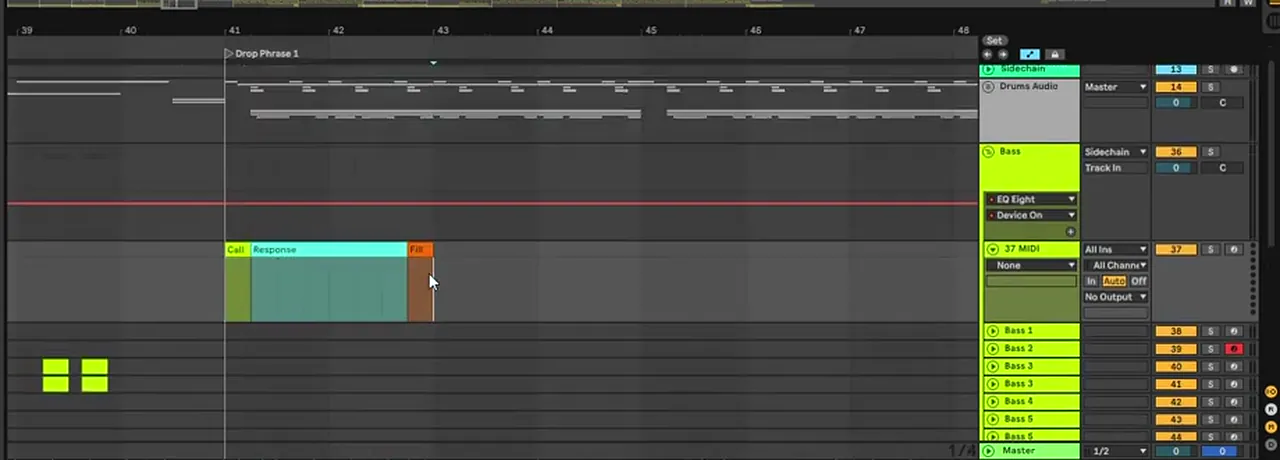
Listen: a call-and-response bass sequence with a turnaround11 sec
Go deeperEvery DnB bass type explained · Neuro bass patterns · Mid bass with BooBass
6.Write chords and a melody
Chords and melody set the mood of a drum and bass track: write them in one key (minor keys are common), keep them simple, and leave space for the bass and drums.
Liquid lives on pianos, pads, strings and vocals; neurofunk often uses little more than a dark atmosphere and saves its melody for the breakdown. You don't need theory to start: in our liquid tutorial everything is found by ear.
The quickest route is a piano or chord loop from a sample pack. If you stretch it to fit, change the stretch mode so the pitch doesn't move: in FL Studio, set Time stretching → Mode from Resample to e3 generic.
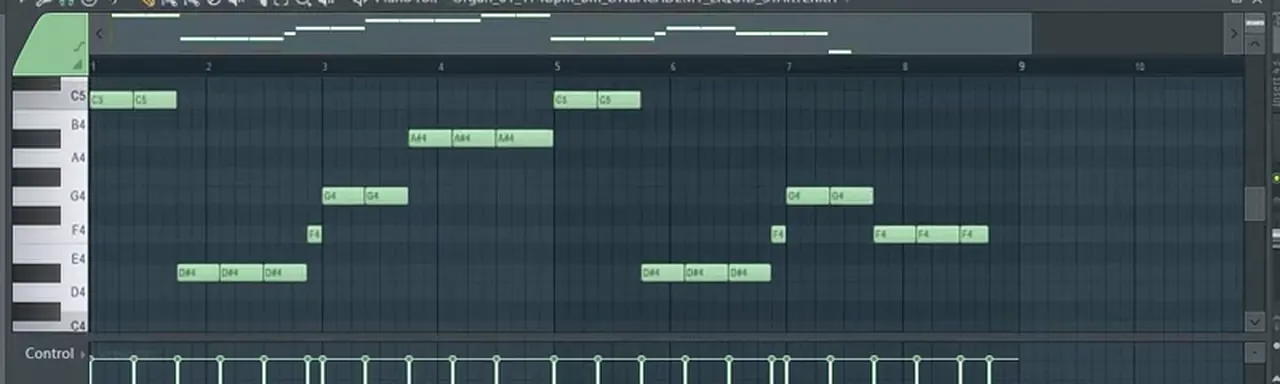
For a melody, load a sound (an organ in our liquid tutorial), open the piano roll and freestyle. Keep what feels good, duplicate the phrase and change its ending so it doesn't repeat exactly.
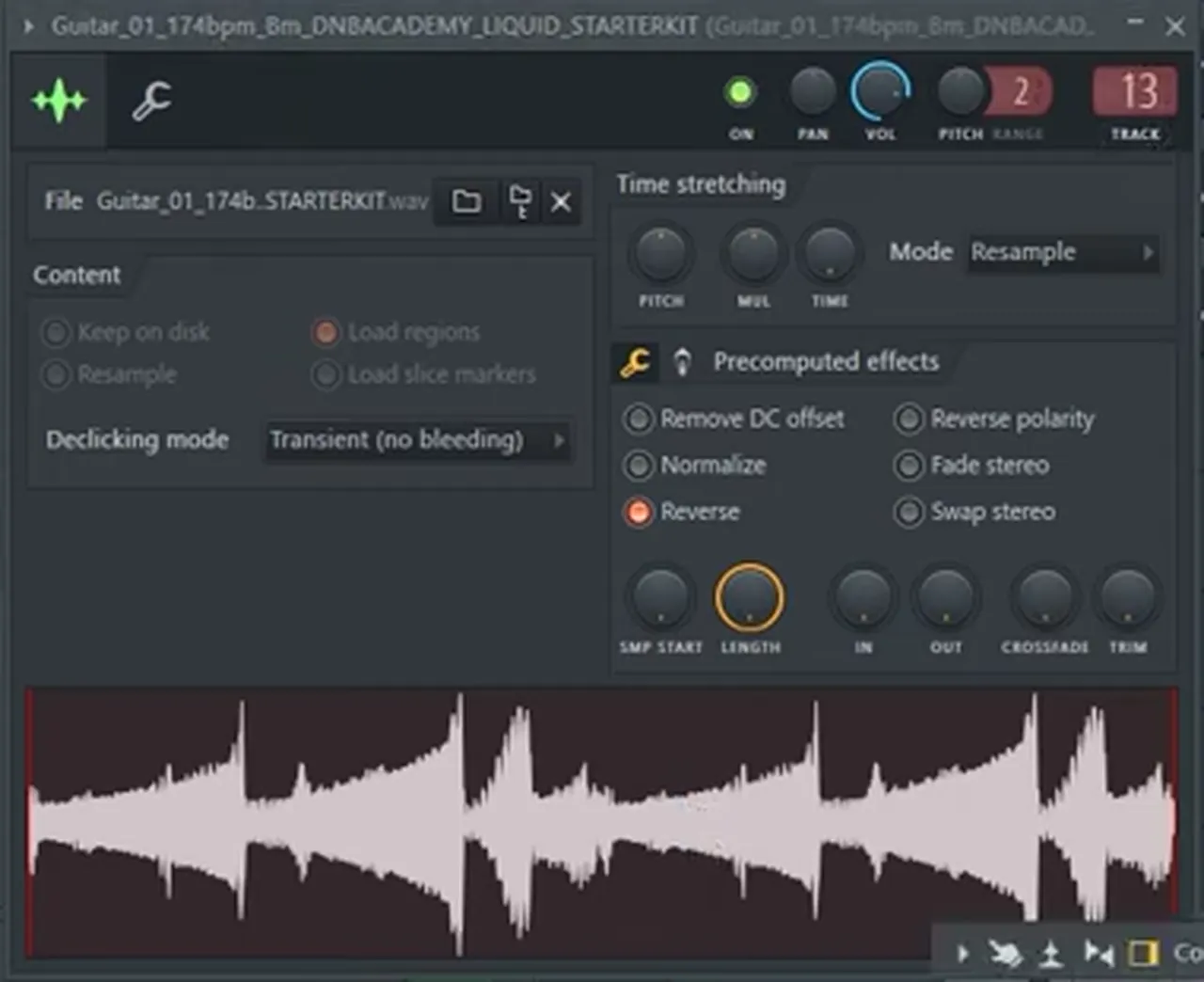
For pads, try reversing a sample: tick Reverse under Precomputed effects in FL Studio's Sampler, lower its volume and let it sit behind the chords.
Then build a 16-bar phrase: duplicate the loop and bring in percussion or a new layer on the second half.
Listen: drums, piano and organ melody together10 sec
Step by stepLiquid DnB chords and progressions · Piano and melody in FL Studio · What is liquid DnB?
7.Add FX and transitions
FX and transitions tell the listener that something is about to change: risers, reversed sounds, drum rolls, filter sweeps and short gaps lead into drops and new phrases.
A loop with no transitions sounds like a loop, however good the sounds are. These are the moves we use in our two beginner tutorials:
- Risers at the end of a phrase lead into the next one.
- Reversed FX. Flip a falling sound into a rising one: press R in Ableton, or tick Reverse in FL Studio's Sampler. Turn warping off on FX.
- Kick rolls. Start the build-up with a simple kick rhythm, then double its speed, and double it again, towards the drop.
- Filter and reverb automation. Sweep basses in with a filter; start the reverb high and bring it down.
- Drum fills and drop-outs. Delete a few kicks and snares at the end of a phrase to signal a new section.
- The pre-drop. A beat or two of near-silence before the drop makes it hit harder.
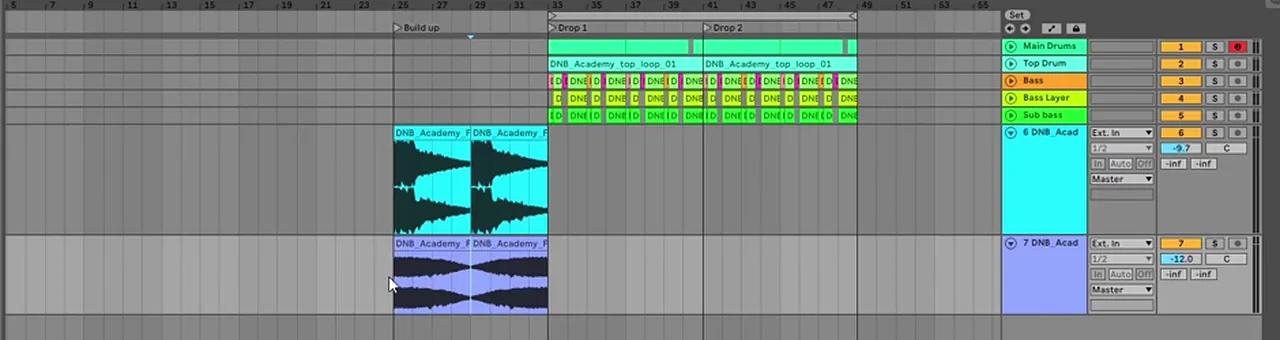
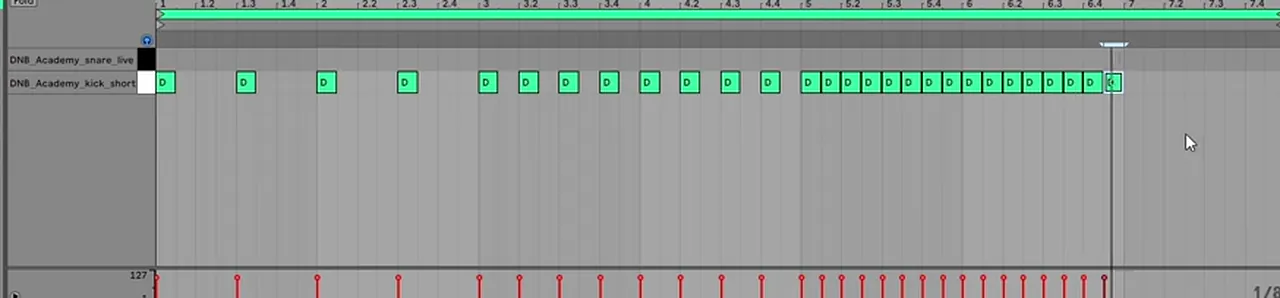
Listen: a build-up into the drop12 sec
Step by stepMake the build-up · Energy and switch-ups
8.Arrange the track in 16 and 32-bar phrases
Arrange drum and bass in 8, 16 and 32-bar blocks: a DJ-friendly track usually runs intro, build-up, drop 1, breakdown, build-up, drop 2 and outro.
Most first tracks die as an 8-bar loop. The fix is to arrange early: block out the sections, then fill them. DJs mix in phrases, so keep every change on a phrase boundary.
| Section | Typical bars | What happens |
|---|---|---|
| Intro | 16–32 | Drums, light atmosphere, little or no sub |
| Build-up | 8–16 | Risers, rolls, a gap before the drop |
| Drop 1 | 32–64 | Everything, often in four 16-bar phrases |
| Breakdown | 16–32 | Drums out; chords, pads or vocals |
| Build-up 2 | 8–16 | Shorter, or with a twist |
| Drop 2 | 32–64 | A variation or switch-up |
| Outro | 16–32 | Back to drums, so DJs can mix out |
These are common practice, not rules; together they make a track of roughly four to six minutes at 174 BPM.
Turn your loop into a drop
Duplicate your loop into four 16-bar phrases (a standard 64-bar drop), then remove elements so each phrase sounds different. In our liquid tutorial we take the pads out of phrases 1 and 3, the melody out of phrases 1 and 2 and the piano out of phrase 3, then delete a few kicks and snares at phrase boundaries as transitions.
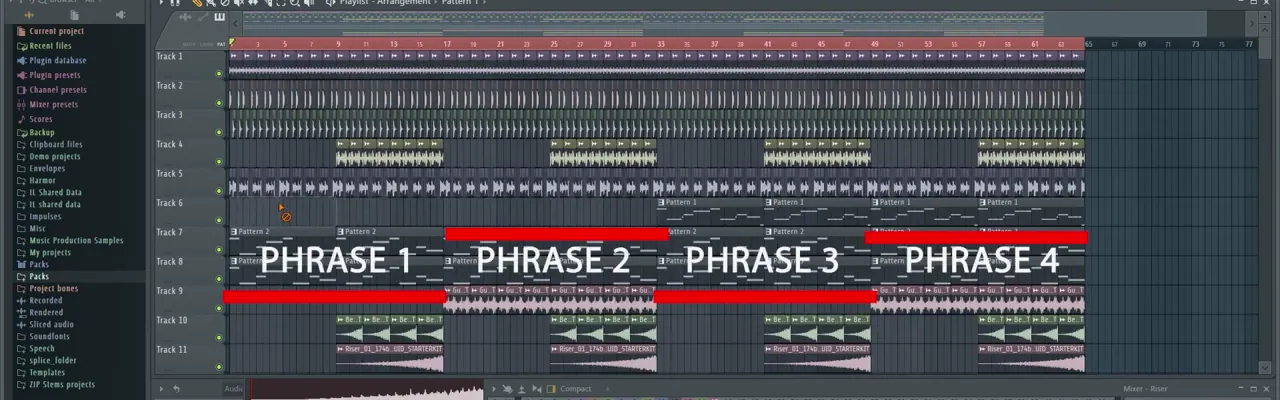
Listen: the arranged drop11 sec
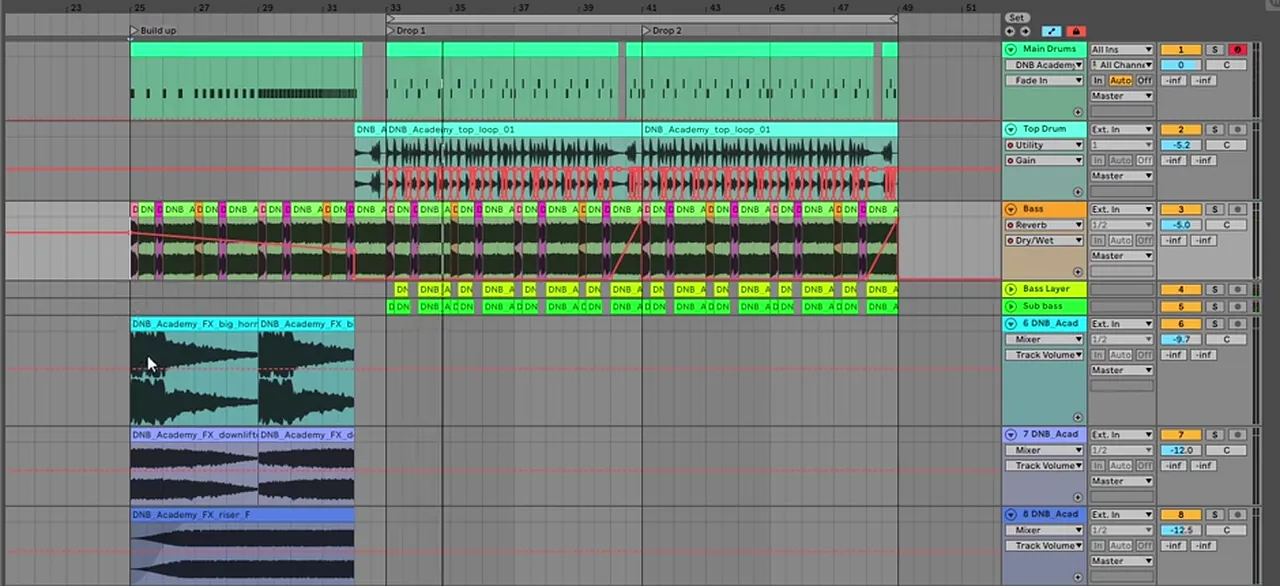
Mark the sections and vary drop 2
Add locators (right-click the time ruler in Ableton) or markers in FL Studio. Make drop 2 familiar but not identical: in our neuro tutorial it adds rounded triangle volume automation so the long bass pulses. A new bassline, a different drum pattern or a halftime section (snare on beat 3, same tempo) are other classic switch-ups.
Go deeperDnB BPM and song structure · What is halftime?
9.Mix down and master your track
To mix drum and bass, balance the levels first, keep the sub mono and clear of the kick, duck basses and loops around the kick and snare, control drum peaks and leave headroom before you master.
A clean DnB mix rests on a handful of habits. Do these in order:
- Gain stage. Pull every fader down until the balance feels right; at this point the drums usually feel too loud and the melody gets lost.
- Separate the low end. One mono sub, high-cut around 125 Hz; the mid bass low-cut around 90 Hz. Cut the lows from extra bass layers too (−15 dB on the low band in our neuro tutorial).
- Duck around the kick and snare. Automate a Utility's gain to dip on every hit on basses and top loops, and keep it last in the chain, after filters and reverb.
- Control the drum peaks. In our punchy drums video a soft clipper (GClip) with Clip at 45% drops the drum peak to −6.94 dB with almost no change in loudness: more than 6 dB of headroom gained.
- Leave headroom before mastering, and A/B every change at matched volume.
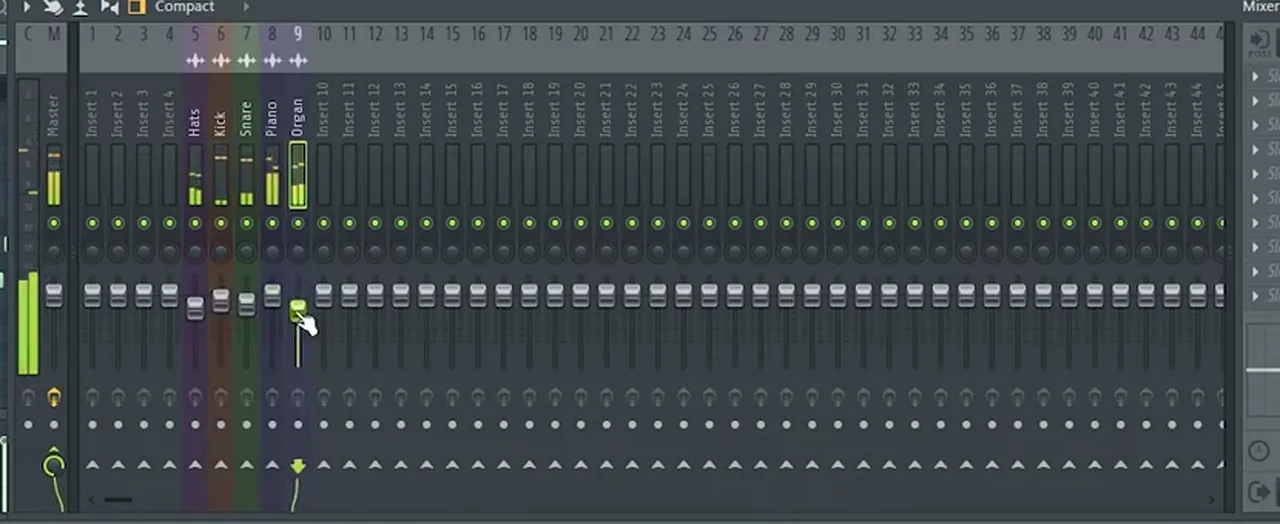

Listen: drums without, then with soft clipping9 sec
Mastering, briefly
Mastering is the final polish: subtle EQ and compression on the whole track, then a limiter for release loudness. How loud to go varies by label, platform and engineer, so compare with released tracks at matched volume rather than chasing a number.
Free Access includes two checklists for this stage: the DNB Mixing Roadmap (10 steps) and the DNB Mastering Roadmap (7 steps), both e-books that work with any DAW.
Go deeperHow to mix drum and bass: the full mixdown guide · Punchy DnB drums: compression, clipping, layering · Ducking with Utility automation
Pick your style: which drum and bass to make first
Make the style you listen to most, because you already know how it should feel. The tempo and core skills are shared; the drums, bass sound and mood change.
| Style | BPM | Drums | Bass | Start here |
|---|---|---|---|---|
| Liquid | 170–176 (174 common) | Crisp, swung, ghost notes | Warm sub plus a filtered mid bass | Liquid DnB in FL Studio |
| Neurofunk | 172–176 | Tight, hard, clinical | Many resampled bass shots in call and response | Neuro DnB in Ableton · Noisia-style bass |
| Rollers | 172–175 | Steady, rolling, break-led | Moving FM or filtered basses | Roller bass in Vital · Techy roller in Serum |
| Jump up | 172–176 | Punchy and simple | Bouncy riffs with pitch bends | Foghorn bass in Vital |
| Deep / minimal | 170–174 | Dry, sparse, tight | Sustained, sub-heavy, textured | Minimal bass in Vital |
| Jungle | ~160–170 classic; faster today | Chopped, re-pitched breakbeats | Deep subs, reggae-style lines | Jungle in our subgenres guide |
| Halftime | 170–175 (feels ~85–87) | Snare on beat 3 | Heavy, spacious, sub-focused | Halftime explained |
All 12 stylesDrum and bass subgenres explained
Common beginner mistakes in drum and bass
Most first DnB tracks go wrong in the same few places:
- Starting with sound design. Get the drums and a rough bass working before you spend an evening on one patch.
- A messy sub. Stereo, distorted or detuned low end. Keep one mono sine sub and put the character in the mid bass.
- Sub and mid bass fighting. High-cut the sub (around 125 Hz) and low-cut the mid bass (around 90 Hz).
- No ducking. Basses and loops on top of every kick and snare bury the drums.
- No headroom. Everything peaking near 0 dB leaves nothing for mastering.
- The endless 8-bar loop. Arrange early and remove elements per phrase so the drop develops.
- Comparing at different volumes. Louder sounds better; level-match before you judge a change.
How long does it take to learn drum and bass?
There's no fixed timeline. Following a start-to-finish tutorial, you can build a first drop in an evening; tracks you're happy to release usually take months of regular practice, because mixing and sound design improve with every track you finish.
The fastest learners do three things. They finish tracks instead of polishing one loop, because every finished track teaches arrangement and mixing. They copy before they create, following a tutorial, then remaking it with their own sounds. And they get feedback, because it's hard to hear your own mistakes.
A realistic first goal is one finished, arranged track at 174 BPM, built from samples and stock plugins with the steps on this page; our 40-minute liquid video above is a good place to start. For a structured route, our drum and bass production course guide maps out the order, and DNB Foundations adds weekly live feedback calls on your tracks.
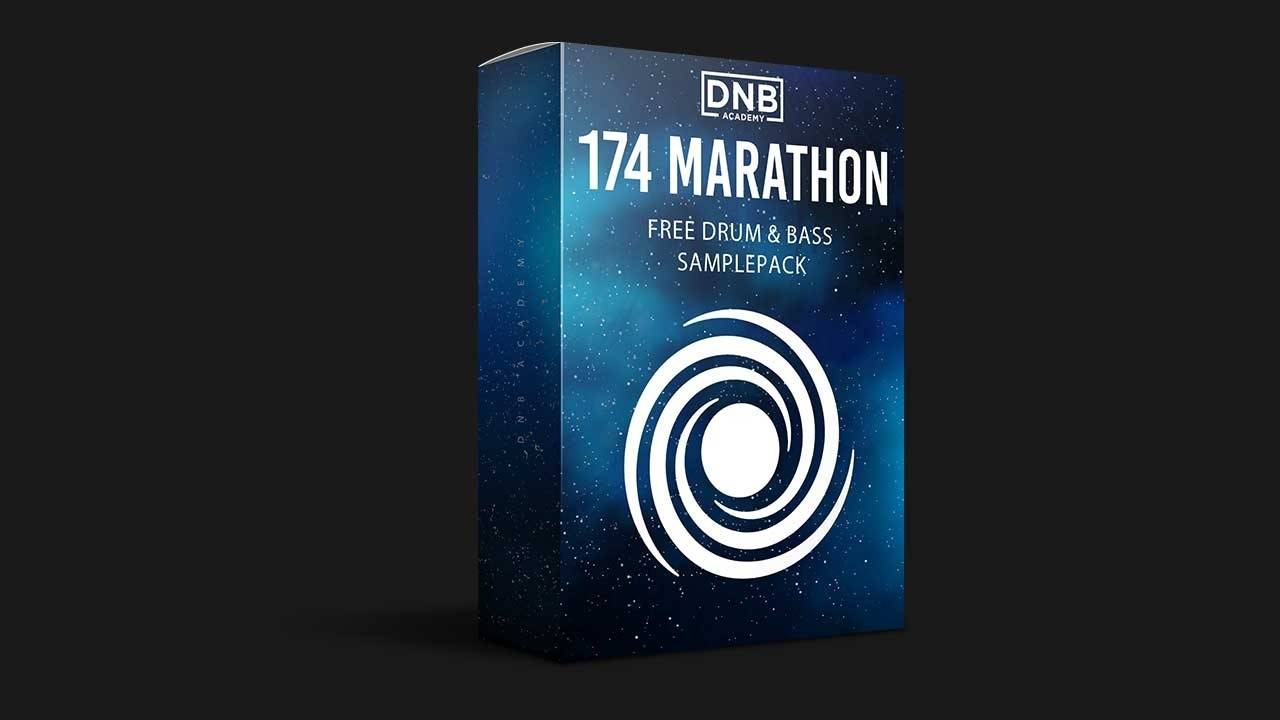
Free download
Make your first track with free samples
The 174 Marathon Sample Pack was made for International Drum & Bass Day and our 174 Production Marathon, so it has a sound for every step on this page:
- 100+ royalty-free samples
- Drums, bass, FX, melodics and more
- Audio samples that work in any DAW
- Free, with no card needed
It’s one of seven free packs in DNB Academy Free Access, with the mixing and mastering e-books and the 3‑day DnB challenge. Join 40,000+ producers in Free Access, no card needed.
Go deeper
Learn a style from the artists
Found the style you want to make? These artist courses and packs go deep on one sound.
 Production courseBop production courseLiquid / Micro-funk: a full artist course on producing liquid drum & bass.
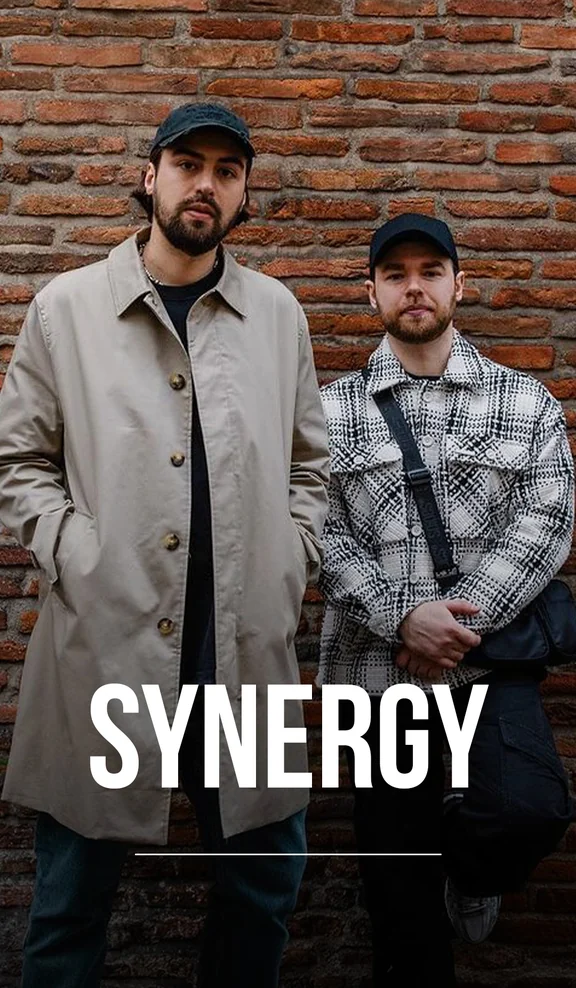 Production courseSynergy production courseNeurofunk / Future: an artist course on neuro and future DnB.
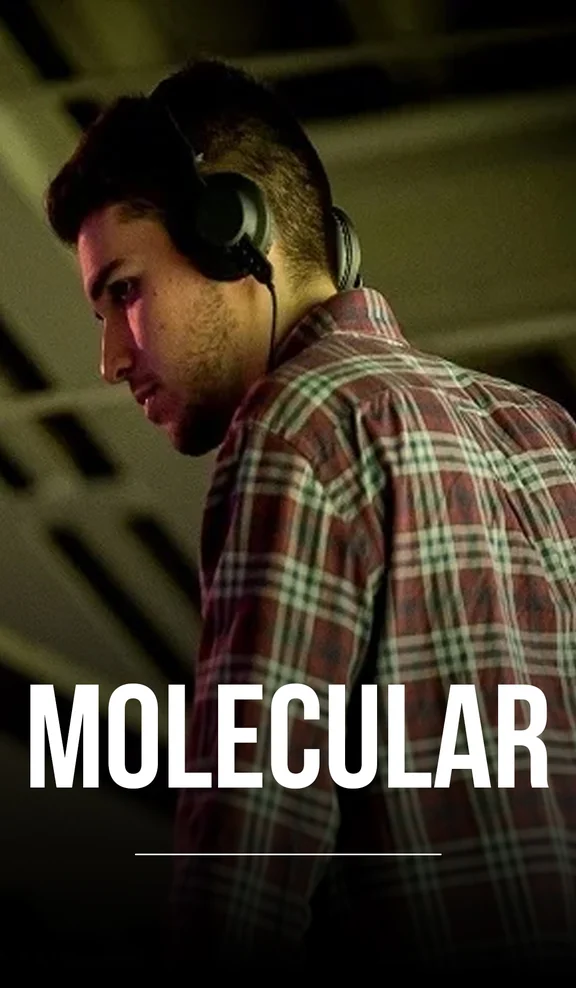 Production courseMolecular production courseTechy / Rollers: an artist course on rolling, techy DnB.
Every artist course, preset bundle and sample pack is also in The Vault. Browse courses
Start-to-finish tutorials
All tutorials → FL Studio · LiquidHow to Make Liquid Drum and Bass in FL Studio11 min read · Video + guide
 Ableton · NeuroHow to Make Neuro Drum and Bass in Ableton Live12 min read · Video + guide
 Mixing · DrumsHow to Make DNB Drums Punchy: 3 Mixing Techniques8 min read · Video + guide
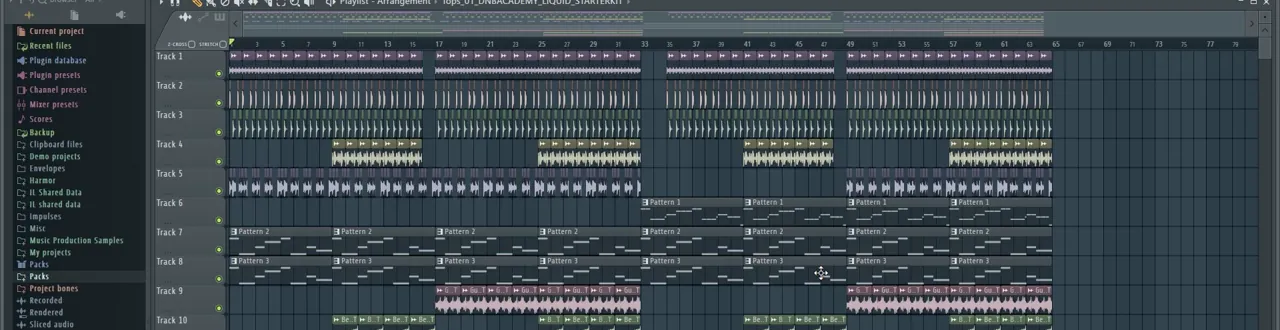 Guide · ArrangementDrum and Bass BPM & Song Structure Guide12 min read · Guide
FAQ: making drum and bass
What BPM is drum and bass?
Drum and bass is usually made at 170–176 BPM, and 174 BPM is the most common tempo for modern tracks. Our drum and bass BPM guide covers the typical tempo of each style.
Can I make drum and bass in FL Studio?
Yes. Our liquid tutorial builds a full drop in FL Studio with stock tools only: the Sampler, BooBass for the mid bass, 3x Osc for the sub, and Fruity Filter, WaveShaper, Parametric EQ 2 and Limiter.
Can I make drum and bass in Ableton Live Lite?
Yes. Our neuro tutorial is made in Ableton Live Lite with stock devices and a sample pack. Its eight-track limit is enough for drums, a top loop, bass layers, a sub and some FX.
Do I need Serum to make drum and bass?
No. You can start with samples and your DAW’s stock synths, and Vital has a free version that covers everything DnB basses need. Every step in this guide works without Serum.
Can you make drum and bass on a laptop?
Yes. A laptop that runs your DAW is enough. Check the low end on headphones or a subwoofer, because laptop speakers can’t reproduce sub bass.
What is the basic drum and bass beat?
The two-step: a kick on beat 1 and on the “and” of beat 3, and a snare on beats 2 and 4, usually over a hi-hat or top loop. At around 174 BPM this gives drum and bass its rolling, forward-leaning groove.
What is the difference between sub bass and mid bass?
The sub bass is a clean, mostly mono sine wave in the lowest frequencies that you feel more than hear. The mid bass sits above it and gives the bass its character. Keep them on separate layers that overlap only slightly.
Where can I get free drum and bass samples?
DNB Academy Free Access is a free membership with seven sample and preset packs, including the 174 Marathon Sample Pack (100+ royalty-free samples), plus mixing and mastering e-books and a 3-day DnB challenge.
Next steps
Now finish one track with these steps. Here's where to go next:
Course guide
How to learn drum and bass production step by step, and which course fits your level.
Read the guideDNB Foundations
A structured course with weekly live feedback calls on your tracks. Beginners welcome.
See Foundations1:1 Mentorship
Personal guidance on your music from a mentor, built around your goals.
See the mentorship50,000+ producers have joined DNB Academy, and our producer Discord has 5,300+ members.