Drum programming guide
Drum and Bass Drum Patterns: How to Program DnB Beats
Six drum and bass drum patterns you can program in any DAW, each on a 16-step grid with audio. We took them from our own videos with Jon Tho, Telomic and our own team, and we show you where every kick, snare and ghost note goes.
Part of our how to make drum and bass guide: this page goes deep on step 2, the drums.
Quick answer
Where do the kick and snare go in drum and bass?
In drum and bass, the snare goes on beats 2 and 4 of every bar and the kick goes on beat 1 and the “and” of beat 3. On a 16-step grid that's kick on steps 1 and 11 and snare on steps 5 and 13, at around 174 BPM. This is the two-step, and most DnB beats are variations of it.
- Kick: steps 1 and 11.Beat 1 and the “and” of beat 3.
- Snare: steps 5 and 13.Beats 2 and 4, the backbeat.
- Hats or a top loop on top.Eighth notes, sixteenths or a break.
- Ghost snares in between.Quiet hits for swing.
- Halftime: one snare on step 9.Beat 3, same tempo.
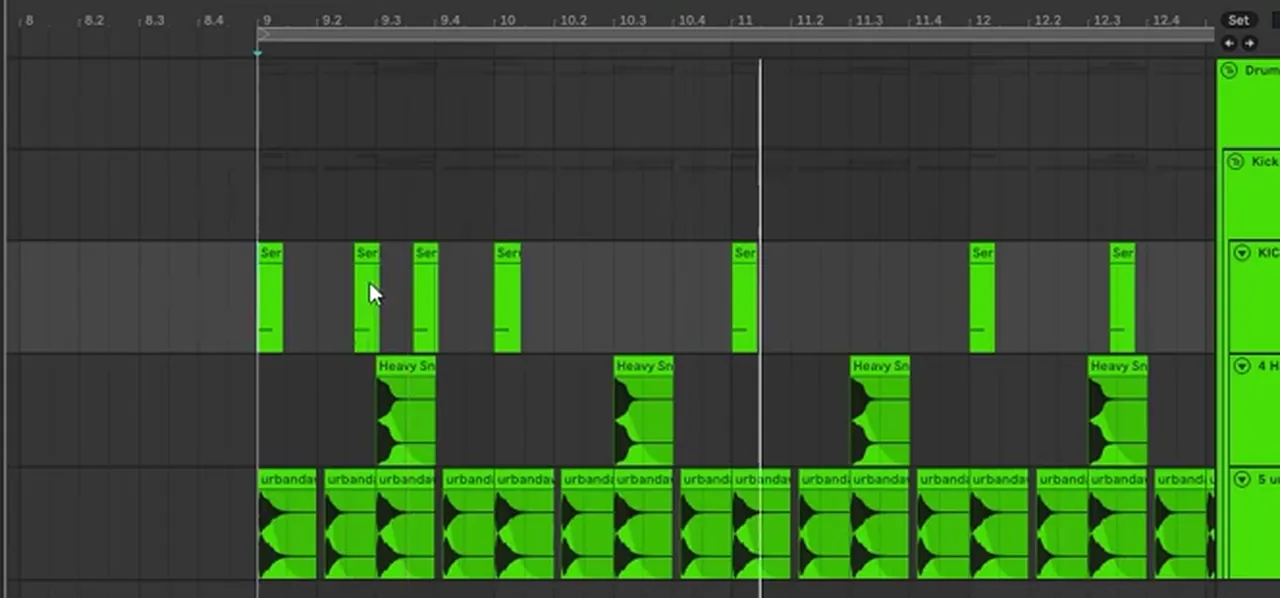
Watch Jon Tho build DnB drums from scratch in Ableton: a break, a programmed two-step with ghost snares, and Serum layers for the kick and snare (our 174 Production Marathon masterclass).
How to read the step grids
Each grid is one bar of 4/4 split into 16 steps (sixteenth notes), the same as a step sequencer, FL Studio's Channel Rack or a piano roll set to 1/16. Steps 1, 5, 9 and 13 are the four beats; step 3 is the “and” of beat 1, step 11 the “and” of beat 3.
TempoSet your project to 174 BPM first: one bar lasts about 1.38 seconds. Bar lengths at 174 BPM
1.The two-step beat
The two-step is the basic drum and bass beat: kick on beat 1 and the “and” of beat 3 (steps 1 and 11), snare on beats 2 and 4 (steps 5 and 13). Learn this one first; every other pattern on this page changes it.
The late second kick, just after beat 3, is what makes drum and bass roll forward instead of marching. In Jon Tho's masterclass this is the first thing he programs, note for note: a kick on C1 at beat 1 and the “and” of 3, a snare on D1 at beats 2 and 4, copied from the groove of the break playing above it. He calls it “a really standard drum pattern”, and it's the skeleton everything else hangs on.
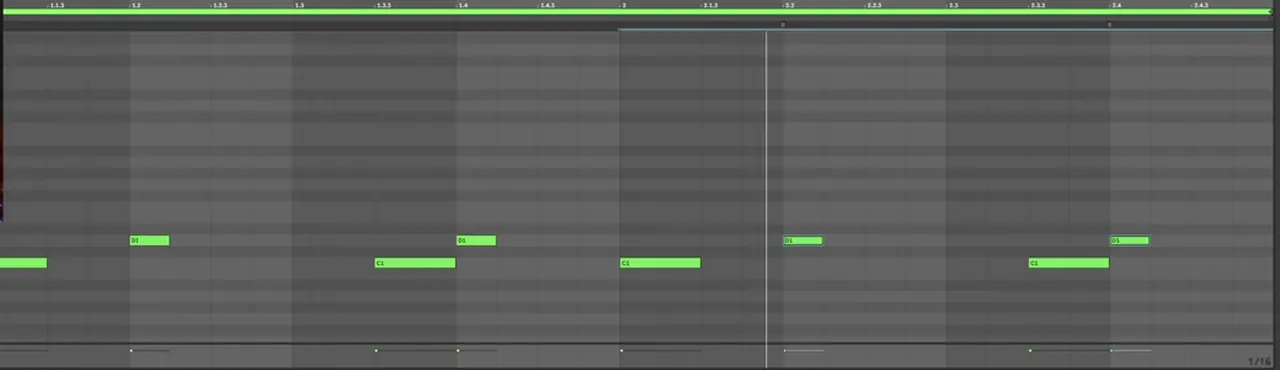
- Load a short, punchy kick and a snare with a strong crack. At 174 BPM long tails smear into the next hit.
- Program one bar: kick on steps 1 and 11, snare on 5 and 13.
- Add hats on the eighth notes (the odd steps) or drop a top loop underneath, then loop the bar.
Listen: a two-step beat with tops8 sec
Step by stepTwo-step in FL Studio · Two-step in Ableton Live
2.Two-step with ghost snares
Ghost snares are quiet extra snare hits between the main backbeat. Keep the kick and the snares on 2 and 4 exactly where they are, add soft snares around them, and the beat swings like a live drummer.
This is the pattern Jon Tho ends up with after programming the two-step. Listening back to the break, he notes “we've got like a lot of ghost snares here” and copies them into the MIDI: soft snares on steps 3, 8, 10 and 16 of each bar, around the main hits on 5 and 13. Then he works on the velocity, lowering the ghost notes until the groove sits. The kick, snare and ghost positions in the grid above come straight from his piano roll; the hat row is a simple eighth-note line you can start from.
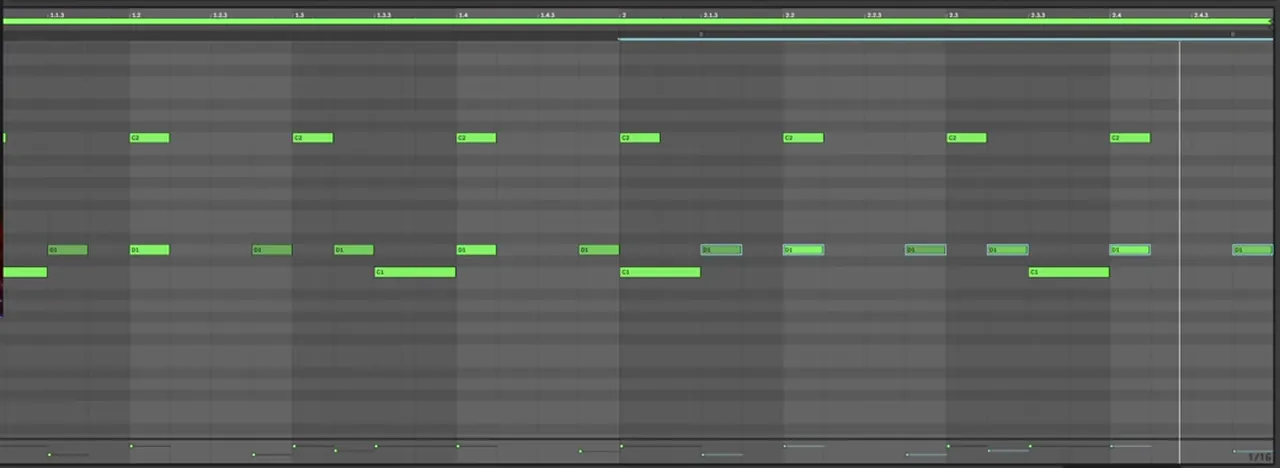
- Velocity is the whole trick. A ghost note at full velocity is just another snare, and the backbeat gets lost.
- Use the same snare sample (or a softer articulation of it), so the ghosts sound like the same drummer playing lighter.
- Keep consistent hits where it matters. In Addictive Drums Jon Tho turns on No Alts so the kick hits exactly the same every time; for a guitar-band drum part he says he'd leave it off.
Listen: Jon Tho’s two-step with ghost snares and velocity7 sec
3.The rolling beat (liquid and rollers)
A rolling beat keeps the kick and snare simple and lets a busy top layer, a break or a sixteenth-note top loop, run underneath without stopping. The constant motion on top is what people mean by drums that “roll”.
In Telomic's atmospheric liquid drums video the kick lands on beat 1 and the “and” of beat 2 (step 7), with the snare on beats 2 and 4, at 174 BPM over a four-bar loop. The roll comes from everything layered on top: percussion one-shots, a top loop and a break (the Counterstrike drum loop) running under the whole thing. Because the break's own rhythm didn't match the beat, he slices it up and moves the pieces until it does.
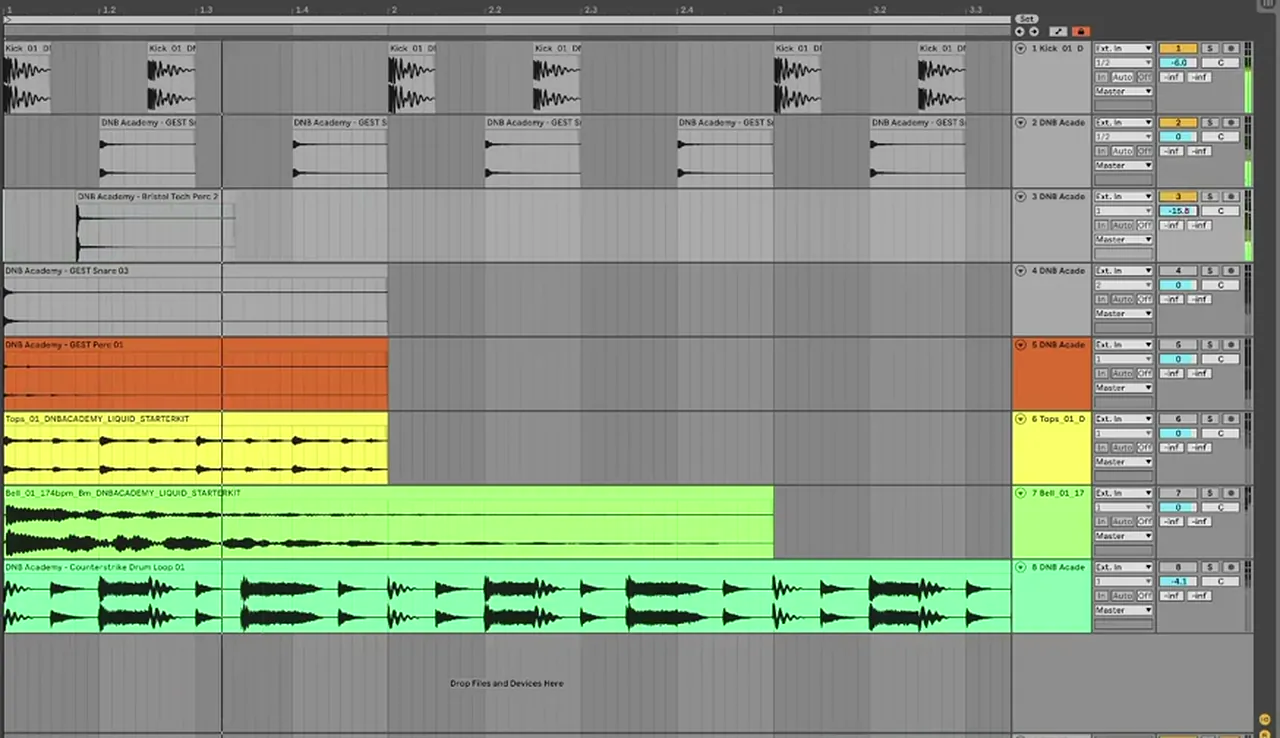
- Make the second kick a little quieter. Telomic lowers its volume slightly so “the first beat of the bar is your strongest hit”.
- Tighten long samples. In Ableton he switches a clip's Warp mode to Beats and uses the one-shot setting to shorten the decay, then adds his own reverb later.
- High-pass the break so its low end stays out of the kick's way, and duck the tops around the kick and snare with automation on a Utility.
Listen: Telomic’s rolling liquid beat with the break and bus processing7 sec
StylesWhat are rollers? · What is liquid DnB?
4.The halftime beat
Halftime keeps the drum and bass tempo but plays one snare per bar on beat 3 (step 9) instead of two on beats 2 and 4. At 174 BPM it feels like 87 BPM: heavier, slower and full of space.
The grid is the straight halftime beat from our halftime beat video, built from just a kick, a snare and one hi-hat at 174 BPM: kick on beat 1 and the “and” of 2, a heavy snare on beat 3 and a hat on every beat. In the second bar the kicks drop out and only the snare and hats play. It works, the video explains, especially under heavy basses when you want a straighter, dubstep-like vibe, but on its own it sounds stiff.
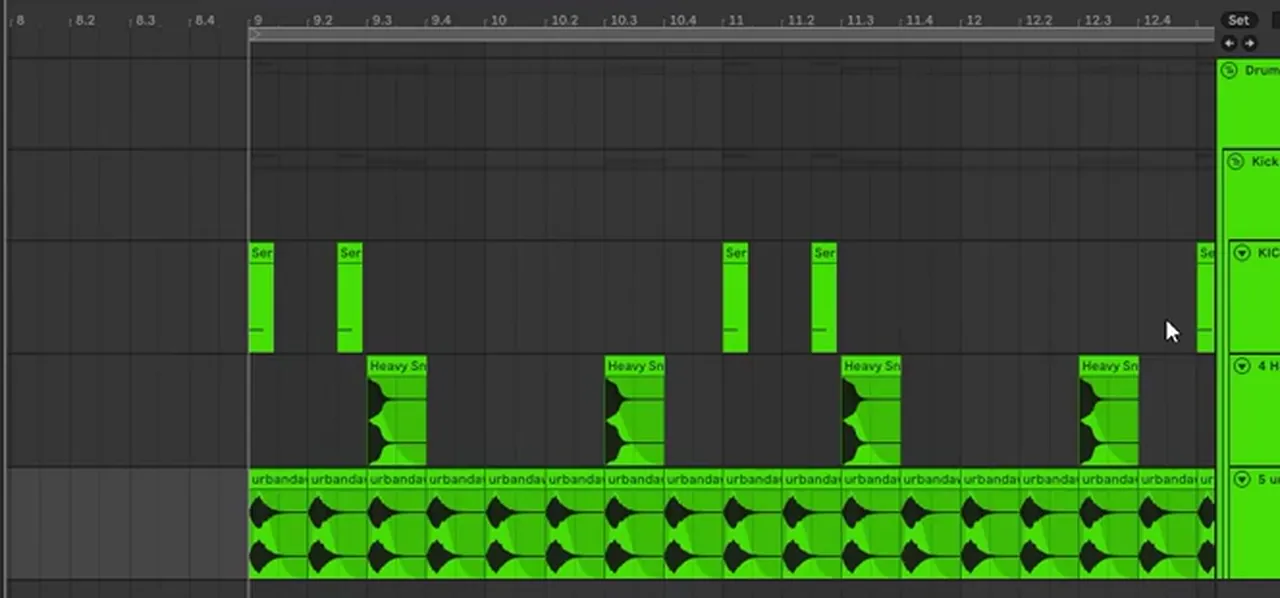
Listen: a straight halftime beat at 174 BPM7 sec
Make halftime groove: the shuffle
The fix in our halftime video comes from hip-hop. Take the hats in pairs, keep the first hit where it is and move the second hit later, then turn that second hit down slightly and fade it differently so the two sound distinct. The snare stays on beat 3. Then place extra kicks using the same offset, for example right after the snare, and the beat starts to swing. The video takes it further towards old-school boom bap, and the same trick works on vocals or bass you've bounced to audio.
Listen: the same snare with shuffled hats8 sec
Go deeperWhat is halftime DnB? · Two-step vs halftime at 174 BPM
5.Amen-style broken beat (jungle)
Jungle drums are broken beats: sampled funk breaks, most famously the Amen break, chopped and re-sequenced so kicks and snares fall off the simple two-step grid. The backbeat on 2 and 4 is still there, surrounded by extra kicks and softer snares.
The grid shows the first bar of the Amen break as it's usually transcribed: two kicks at the start of the bar, a double kick before beat 4, and softer snares around the backbeat. The break comes from The Winstons' 1969 track “Amen, Brother”; jungle producers sped it up and cut it into new patterns.
In our jungle breaks video, we take the classic Amen, warped to 174 BPM, and make it hit like a modern break:
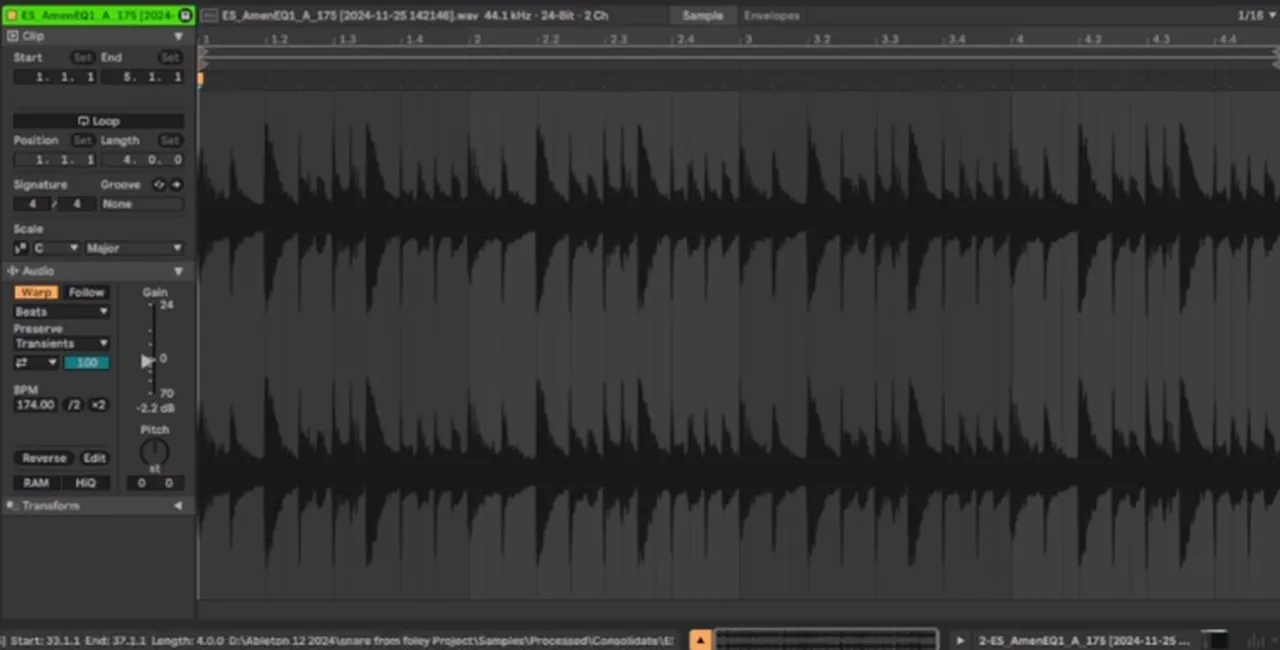
- Tighten it. The Transients setting in Ableton's Beats warp mode makes the hits short and tight, a good starting point (or keep the splashy sound if you like it).
- Add a transient on every snare. Lay a short click sample on each snare hit with a little fade in front of the original, so the new transient has room.
- Layer a modern kick and snare. Fade the original kick out, take out some rumble, and place an electronic kick on top; a heavier snare layer pushes it towards a neuro-jungle loop.
- Make double kicks quieter than the main kick, “because that's also kind of how the drummer plays”.
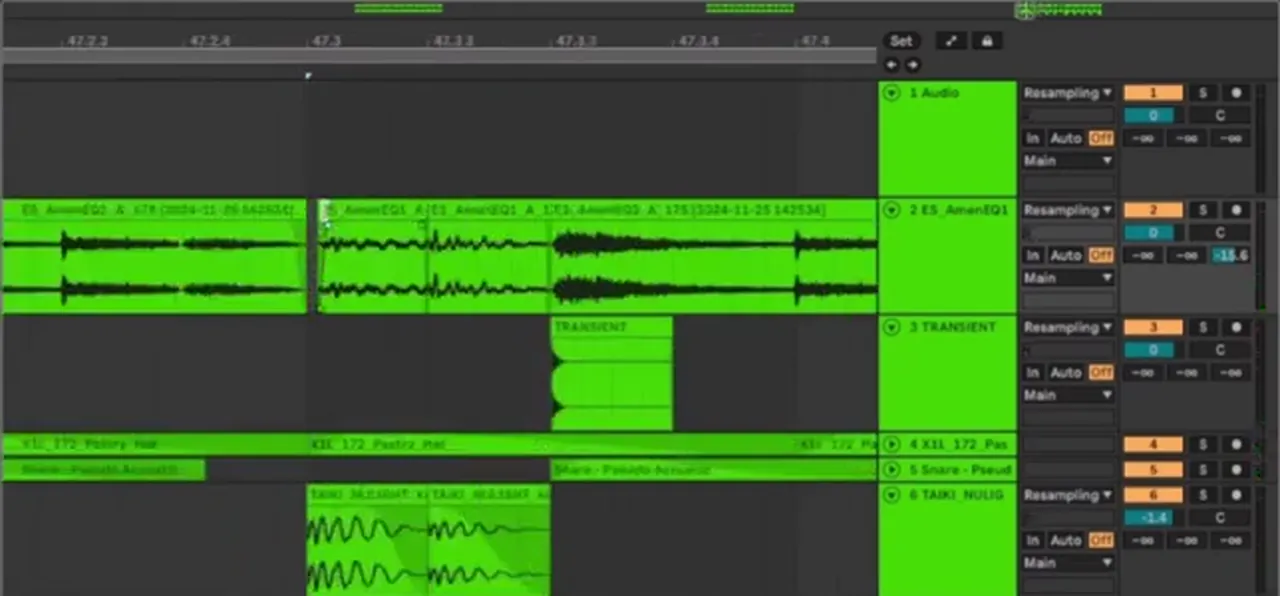
Finding the snares also makes chopping easier: once you know where they are, you can repeat or swap slices for new variations, the classic jungle edit. We don't play the Amen itself here because it comes from a released record; the parallel compression trick in our punchy drums guide glues chopped breaks together.
Listen: a break without, then with parallel compression6 sec
Go deeperWhat is jungle? · What is drumfunk?
6.The jump up beat
Jump up keeps its drums punchy and simple, usually a straight two-step with hats on the off-beats, so the bouncy bass riffs carry the groove. Fewer hits on the grid means more room for the bass.
We don't have a jump up drum video yet, so this grid is the common convention rather than one of our projects: the same kick and snare as the two-step, hats only on the “and” of each beat, and no ghost notes cluttering the gaps. The character comes from the sounds: a hard, short kick, a loud snare and a bass that answers them. Write the bass riff into the gaps around the kick and test it with the drums playing; if the bass and kick hit on top of each other, move one.
Make the bassFoghorn bass in Vital · What is jump up?
The 6 DnB drum patterns compared
Every pattern on this page on one 16-step grid (one bar of 4/4: step 1 is beat 1, step 5 beat 2, step 9 beat 3, step 13 beat 4). Click a name to hear it.
| Pattern | Kick steps | Snare steps | Tops | Feel |
|---|---|---|---|---|
| Two-step | 1, 11 | 5, 13 | Hats on the eighth notes | The basic DnB beat; learn it first |
| Ghost snares | 1, 11 | 5, 13 + soft hits on 3, 8, 10, 16 | Hats on the eighth notes | Swings like a live drummer |
| Rolling | 1, 7 | 5, 13 | A break or top loop on every sixteenth | Constant motion; liquid and rollers |
| Halftime | 1, 7 (bar 1 only) | 9 (beat 3) | Hats on every beat | Feels like 87 BPM at 174: heavy, with space |
| Amen-style | 1, 3, 11, 12 | 5, 13 + softer 8, 10, 16 | Ride on the eighth notes | Broken jungle feel, off the two-step grid |
| Jump up | 1, 11 | 5, 13 | Hats on the off-beats only | Punchy and simple, so the jump up bass leads |
Free MIDIDownload all six grids as .mid files at 174 BPM (free zip). Halftime is a 2-bar pattern: in bar 2 the kicks drop out.
Programming tips: make your DnB drums groove
Good drum and bass drums come from velocity, timing and layering more than from the grid: vary how hard each hit plays, add swing in small amounts, layer a break or top loop under clean hits, and tune your kick and snare.
Velocity
Jon Tho programs the pattern first and then “takes care of the velocity” to get a better groove. Three habits from our videos: ghost snares well below the main snares (Jon Tho), the second kick a little quieter than the first (Telomic), and double kicks quieter than the main kick (our jungle breaks video).
Swing and shuffle
Move hits slightly off the grid, in pairs, the way our halftime video shuffles the hats. Keep it subtle on the kick and snare, though. Jon Tho snaps the transients of his break to the grid before layering anything, and warns that a couple of hits with too much swing make a track hard to mix on top of another one in a DJ set.
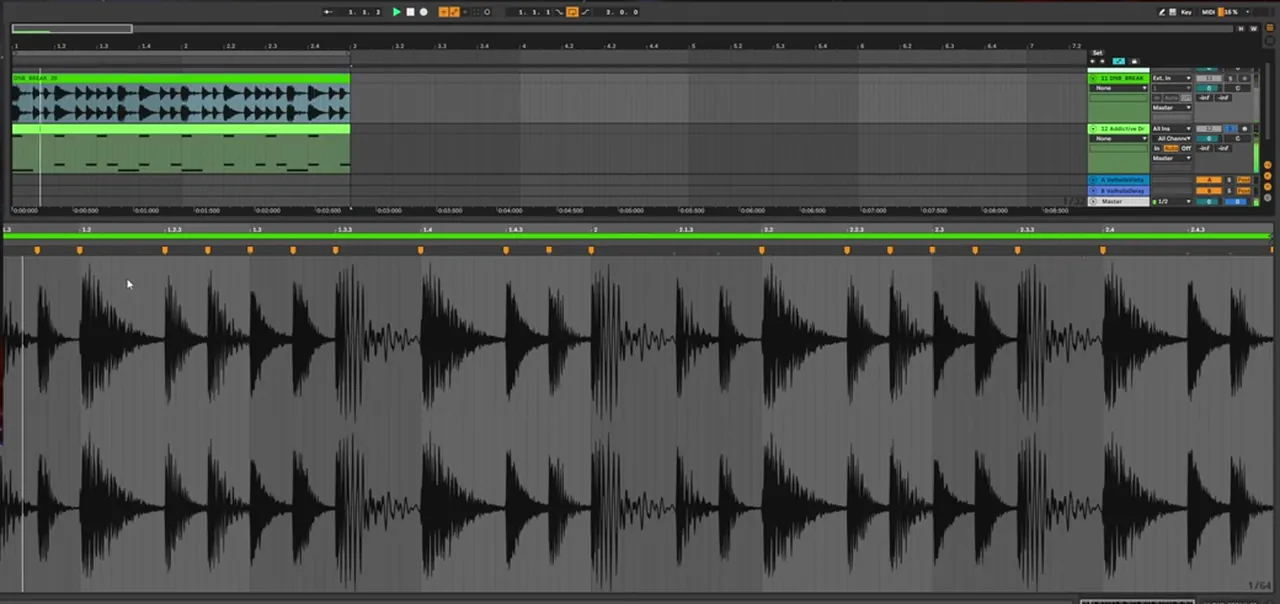
Ghost notes
Start with two or three per bar, all at low velocity, and listen in context; a busy top loop may already supply them. Ghost notes belong to the snare, so they should never be louder than the backbeat.
Layer breaks and top loops
Every video here layers: Jon Tho programs a drum part to match a break, Telomic runs a break under his one-shots, and our jungle breaks video puts new hits on top of the Amen. Turn the loop down, high-pass it and duck it around your kick and snare so the main hits stay clear.

Tune the kick and snare
A kick that's out of key with your bass makes the low end muddy. Tune it (and the body of the snare) to the track's key with a tuner plugin; in the masterclass Jon Tho pitches the snare and re-tunes the kick as he goes, and the kick in our halftime video is already tuned before the beat is built.
Groove over the bar
One bar on loop gets boring fast. Keep the core pattern, then change something every 4 or 8 bars: drop a kick, add a fill, mute the hats, or swap to halftime for a switch-up. Jon Tho bounces his finished break to audio so he can chop and rearrange it like a sample. For processing (compression, clipping, snare layers) see how to make DnB drums punchy.
Common mistakes with DnB drum patterns
- Moving the backbeat. Snares drifting off beats 2 and 4 (or beat 3 in halftime) make the beat feel wrong to DJs and dancers. Vary everything else first.
- Every hit at full velocity. The machine-gun effect: no accents, no ghost notes, no groove.
- Too much swing on the main hits. Shuffle the hats, keep the kick and snare tight to the grid.
- A break that fights your kick. Breaks have their own kick and low end. High-pass the loop, fade or duck its kick, and let your programmed kick do the work.
- Ghost notes as loud as the snare. They turn into a second backbeat and the pattern loses shape.
- Long, boomy samples. At 174 BPM a long kick or snare tail runs into the next hit. Shorten the decay.
- One loop for the whole track. Vary the pattern every few bars and save the big changes for new sections.
Once the pattern works, arrange it in 16 and 32-bar phrases: see our drum and bass BPM and song structure guide.
Free download
Free jungle breaks and drum hits
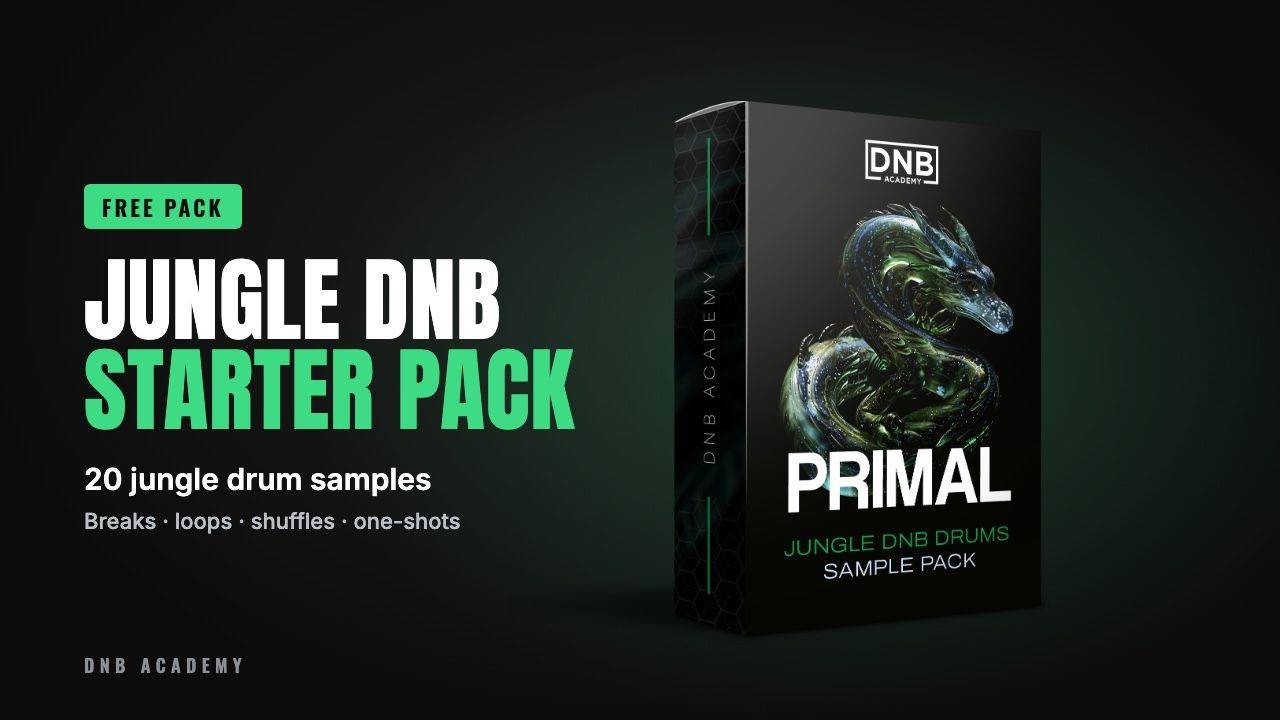
The Primal Jungle DnB Starter Pack has 20 drum samples from our full Primal Jungle DNB Drums Sample Pack, so you can try every pattern on this page with real breaks:
- 5 jungle breaks (1, 2 and 4 bars)
- 4 drum and tops loops, 2 shuffles and a shaker loop
- 3 kicks, 3 snares, a hi-hat and a ride
- 24-bit WAV, loops at 170 BPM, royalty-free
It’s one of seven free packs in DNB Academy Free Access, with the mixing and mastering e-books and the 3‑day DnB challenge. Join 40,000+ producers in Free Access, no card needed.
Go deeper
Courses and drum packs
Want more than one pattern? These go deeper on drums and on a producer's whole process.
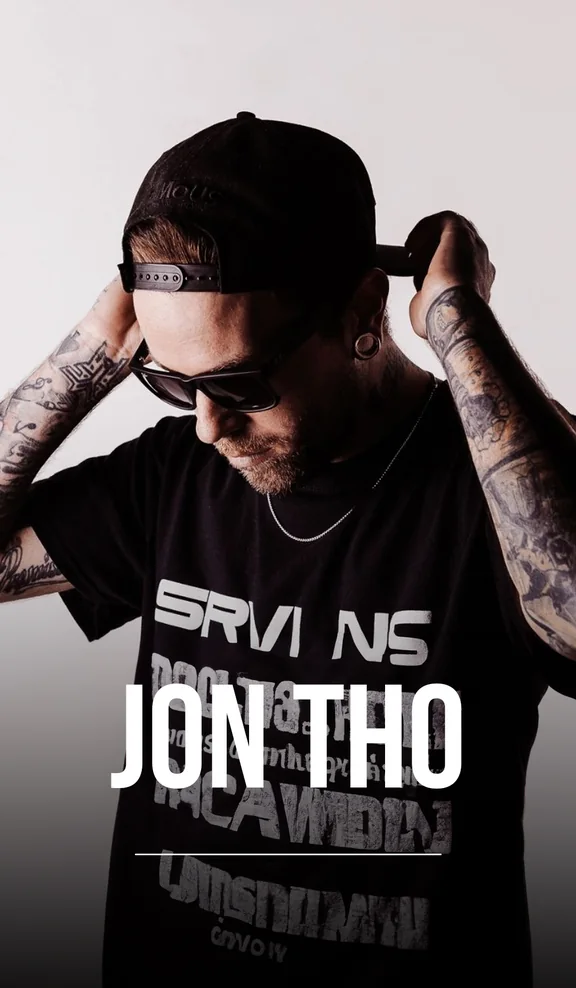 Production courseJon Tho production courseFuture / Deep: guided sessions and production assets on melodic leads, clean bass movement and atmospheric depth.
 Sample packPrimal Jungle DnB DrumsThe full pack: raw breaks, groovy tops, percussion loops and impact one-shots with a classic jungle sound.
 Sample packDNB Drum Essentials Vol. 1Versatile loops, tight one-shots and ready-to-arrange drum patterns.
Every artist course, preset bundle and sample pack is also in The Vault. Browse courses
Related tutorials
All tutorials → Guide · BeginnersHow to Make Drum and Bass: A Step-by-Step Guide19 min read · Guide
 Mixing · DrumsHow to Make DNB Drums Punchy: 3 Mixing Techniques8 min read · Video + guide
 Ableton · NeuroHow to Make Neuro Drum and Bass in Ableton Live12 min read · Video + guide
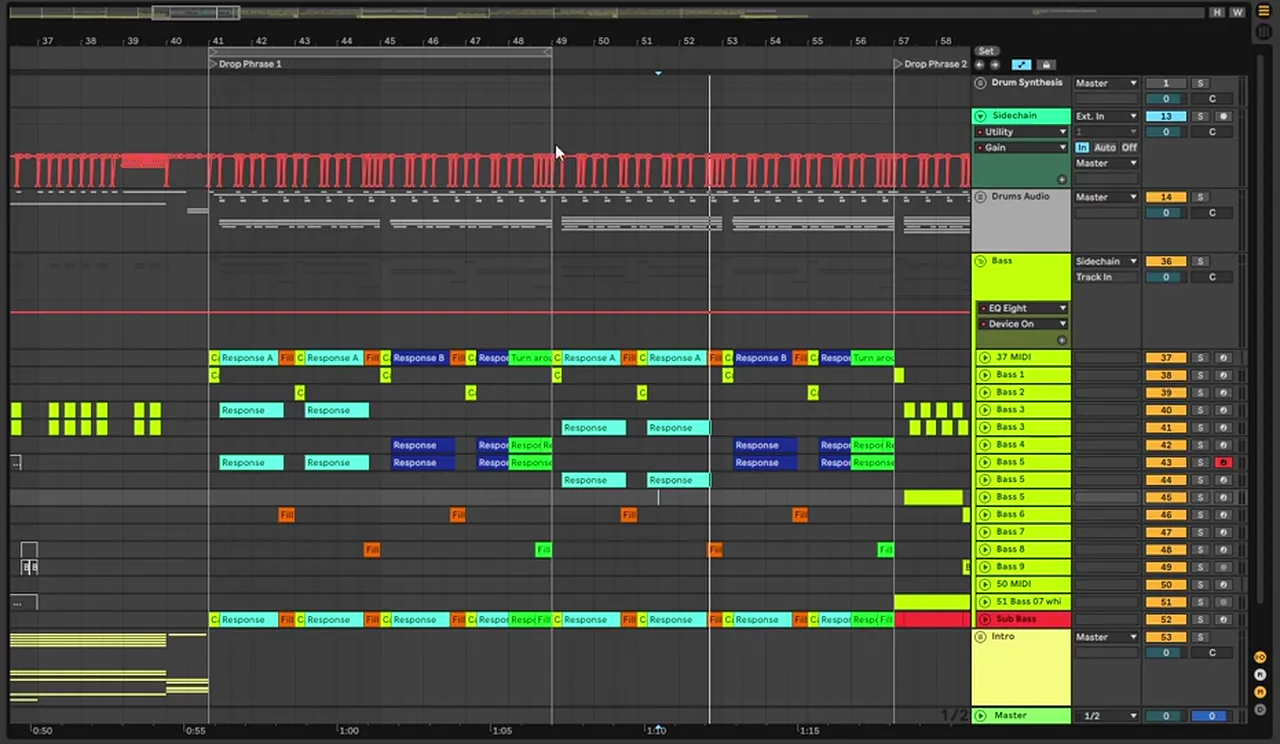 Guide · StylesDrum and Bass Subgenres: 12 Types of DnBGuide
FAQ: drum and bass drum patterns
Where do the kick and snare go in drum and bass?
In a standard drum and bass beat the snare goes on beats 2 and 4 and the kick goes on beat 1 and the "and" of beat 3. On a 16-step grid that is kick on steps 1 and 11 and snare on steps 5 and 13, usually at around 174 BPM.
What is a two-step beat in drum and bass?
The two-step is the basic drum and bass beat: two kicks and two snares per bar. The kick plays on beat 1 and just after beat 3, the snare on beats 2 and 4, usually over hi-hats or a top loop. Most DnB drum patterns are variations of it.
What BPM are drum and bass drum patterns?
Drum and bass is usually programmed at about 170 to 176 BPM, and 174 BPM is the most common tempo. The halftime and liquid videos on this page both run at 174 BPM. Halftime keeps the same tempo and only moves the snare.
What are ghost notes in drum and bass?
Ghost notes are quiet extra snare hits between the main snares on beats 2 and 4. Programmed at a much lower velocity, they add swing and a live, breakbeat feel without changing where the main backbeat sits.
What is the difference between two-step and halftime?
Both run at the same tempo. A two-step has snares on beats 2 and 4; halftime has one snare per bar on beat 3, so at 174 BPM it feels like 87 BPM. Because the tempo stays the same, you can switch between them inside one track.
What is the Amen break?
The Amen break is a short drum solo from The Winstons' 1969 track "Amen, Brother" that jungle producers sampled and chopped. Our jungle guide shows how to chop the Amen break.
Should I program drums or use breaks?
Both, usually. Most modern drum and bass layers programmed kicks and snares over a break or top loop. Program the main hits so they hit hard and on time, then add a break underneath, turned down, high-passed and ducked around the kick and snare.
Where can I get free drum and bass drum samples?
The Primal Jungle DnB Starter Pack in DNB Academy Free Access has 20 royalty-free jungle drum samples: 5 breaks, drum and tops loops, shuffles, kicks, snares, a hi-hat and a ride. It is one of seven free packs in Free Access.
Next steps
Program one of these patterns tonight, then build a track around it. Here's where to go next:
The full guide
Tempo, drums, bass, chords, arrangement and mixdown: every step of a DnB track.
Read the guideDNB Foundations
A structured course with weekly live feedback calls on your tracks. Beginners welcome.
See Foundations1:1 Mentorship
Personal guidance on your music from a mentor, built around your goals.
See the mentorship50,000+ producers have joined DNB Academy, and our producer Discord has 5,300+ members.