Drums · Liquid DnB · Ableton Live
How to Make Liquid DnB Drums: Rolling, Atmospheric Beats Step by Step (with Telomic)
Liquid DnB drums are a simple kick and snare with soft, busy layers rolling underneath: one-shots, top loops and breaks, all tightened, high-passed and glued together on a bus. Here is how Telomic builds an atmospheric liquid beat from a handful of samples in Ableton Live, then how he layers several breaks so they gel instead of fighting. Everything comes from two of our own videos, with screenshots, settings and audio.
New to the kick and snare grid? Our drum and bass drum patterns guide covers the rolling liquid pattern itself. This page is the full build: samples, layering, processing and atmosphere.
Quick answer
How do you make liquid DnB drums?
Start with a four-bar kick and snare loop at 174 BPM, then layer softer one-shots, a top loop and a break on top. Tighten long samples, high-pass every layer that isn’t the kick, line the breaks up to the grid, duck the tops around the kick and snare, then glue it all on a drum bus with light compression, soft clipping and a short room reverb.
- Pick a small palette.A kick, a snare or two, percussion, a top loop and a break.
- Program the kick and snare.A four-bar loop, with the second kick a little quieter.
- Clean the kick.Dip the mids instead of boosting lows and highs.
- Tighten the one-shots.Beats mode in Ableton to shorten the decay.
- Bring in the break.Tighten it, high-pass it and slice it to fit your beat.
- Layer the breaks.Line up every hit and decide: swing or tight.
- Group and duck.Kick, snares and tops in groups; tops ducked around kick and snare.
- Glue the bus.Transient shaper, EQ, Glue Compressor with soft clip.
- Add atmosphere.A very short drum room reverb on a send.
Telomic’s atmospheric liquid drums video: a full liquid beat from eight samples in Ableton Live. Later we use his second video on layering liquid drum breaks.
What you’ll need
- A DAW. Both videos use Ableton Live. Every step works in FL Studio, Logic or Bitwig too: you need a way to shorten samples, slice audio, group tracks and automate volume.
- A small set of samples. One kick, a snare or clap, some percussion one-shots, a top loop and a break or two. Telomic uses DNB Academy samples: files from our liquid starter kit, a kick and snare from our 174 Marathon pack, plus GEST and Bristol Tech percussion.
- Stock effects. EQ, a utility or gain plug-in, a bus compressor and a reverb. Telomic adds a third-party transient shaper and reverb, but stock tools can do the same job.
- 174 BPM. Both projects run at 174 BPM, a common liquid tempo. Our DnB BPM and structure guide explains why.
1.Choose a small sample palette
Liquid drums sound atmospheric because of the layers, not the number of sounds. Pick a few samples that already sit well together: a solid kick, one main snare, a couple of softer percussion hits, a top loop, maybe a tonal bell, and one break to run underneath.
Telomic starts with eight pre-selected samples (watch at 0:15): a kick, a top loop and a bell from our liquid starter kit, a rim shot and snares from a GEST pack, a Bristol Tech rim shot and the Counterstrike drum loop as the break. One of the snares is so tonal that he treats it as a percussive element instead of a backbeat.
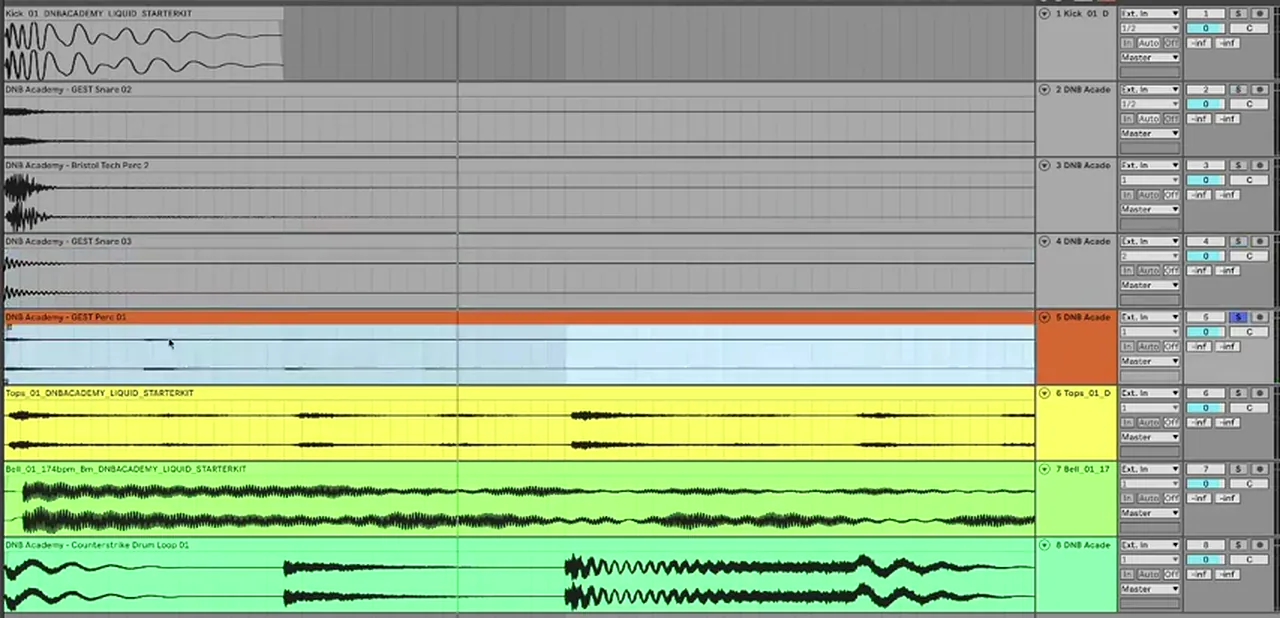
Before he touches anything he makes a point worth remembering: processing is contextual. At this stage there is no bass or chords, so he only processes the drums enough to balance them and set a vibe, and expects to tweak them again once the rest of the tune is there (watch at 1:06).
2.Program the kick and snare first
Get the kick and snare working on their own before you add anything else. Build a four-bar loop, keep the main snare on the backbeat, and make the second kick of each bar slightly quieter so the first beat of the bar stays the strongest hit.
Telomic programs a simple liquid kick pattern over four bars (watch at 1:42), then lowers the volume of the second kick a touch for a bit more variation. The step-by-step grid for this rolling pattern is in our drum patterns guide.
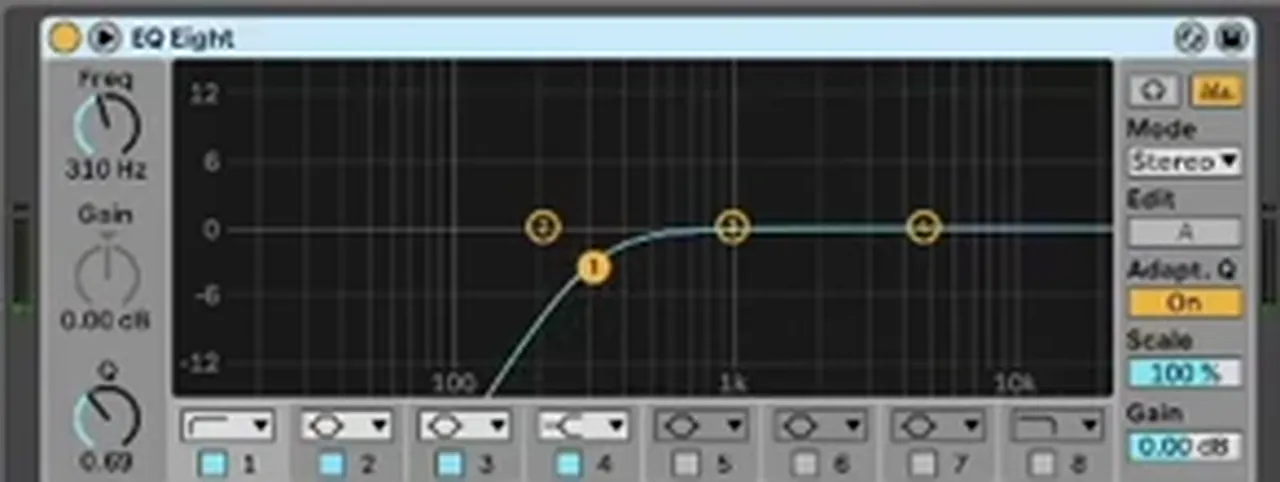
Then he cleans the kick with an EQ. Instead of boosting the lows and the highs, he dips the mids slightly and brings the top end down a little: “if I dip the mids that instead brings the focus to those two areas without having to boost them” (watch at 2:37). A second EQ takes out a small bump at the bottom, “noise that we don’t need”.
Listen: just the kick and snare, before any layers7 sec
3.Tighten the one-shots
Long percussion samples smear a liquid beat. Shorten their decay so each hit is short and clean, then add space back later with your own reverb, which you control for the whole kit.
In Ableton, Telomic sets a sample’s Warp mode to Beats, then switches the transient envelope to its one-shot setting and pulls the decay down (watch at 3:36). On the Bristol Tech rim shot he also tries pitching it up. He calls this part “trial and error”: shorten, listen, adjust. A shuffle loop gets the same Beats-mode treatment a little later.
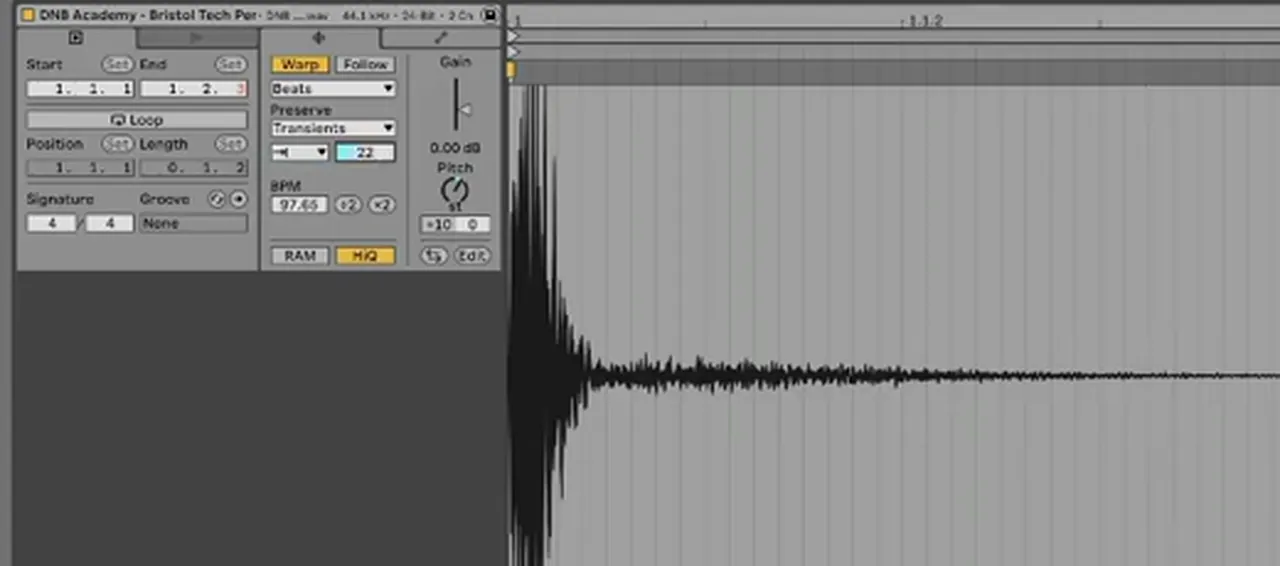
In FL Studio the same idea works with the envelope in the Channel settings, or by simply trimming and fading the end of the sample. Some percussion gets a little reverb from a send straight away; the rest waits for the drum reverb at the end.
4.Bring in the break
A break running under the kick and snare is what makes liquid drums roll. Tighten it the same way as the one-shots, high-pass it so its low end stays out of the kick’s way, then slice and move its hits until its rhythm matches your beat.
Telomic brings the Counterstrike drum loop in to “add a nice constant rhythm over the top” (watch at 5:55). With Beats mode and the one-shot envelope it gets much tighter as he brings the decay down. You can either preserve the break’s own transients or set your own pattern; here he sets Preserve to 1/8, then high-passes it.
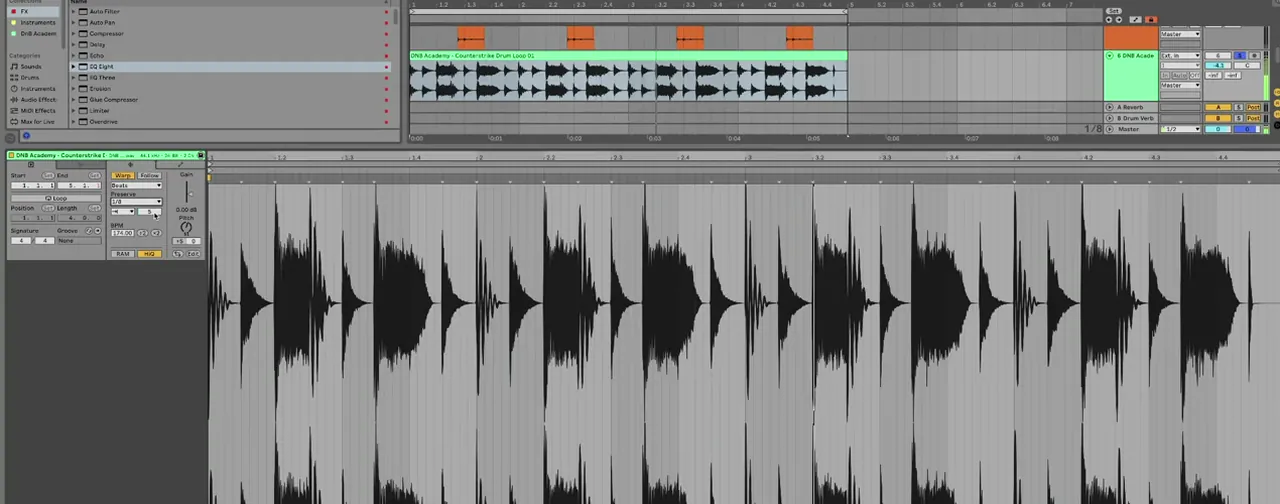
The break’s rhythm didn’t quite match the beat, so he slices it and moves the pieces (watch at 6:56). On the bell he uses the transient markers differently: in Beats mode with Transients it stutters, so he deletes the extra markers to focus it. Double-clicking adds new markers, which is handy if you ever want glitchy edits.
5.Layer liquid breaks so they gel
When you stack several breaks and top loops, line their hits up first. Most loops sit on the grid, but a swung break has hits that land slightly late. Decide whether you want that swing or a tight break, then slice the other layers so every hit lines up with your choice.
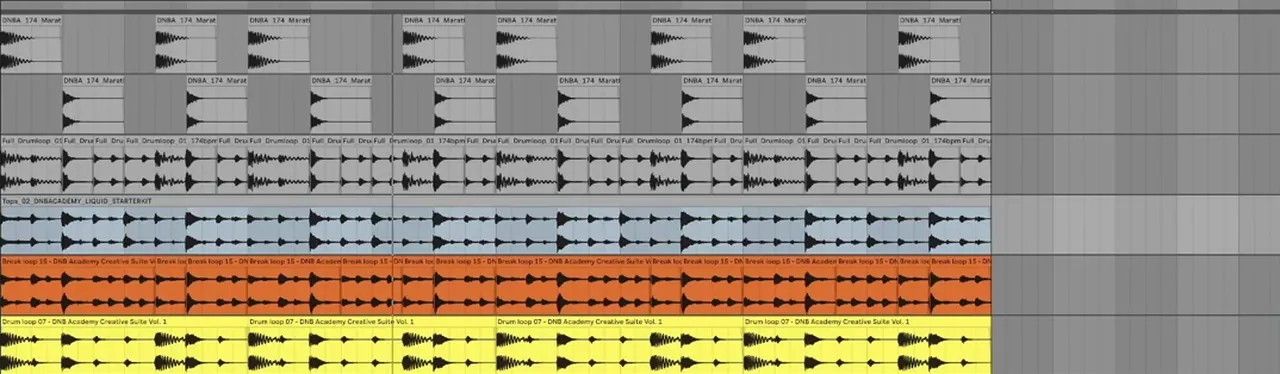
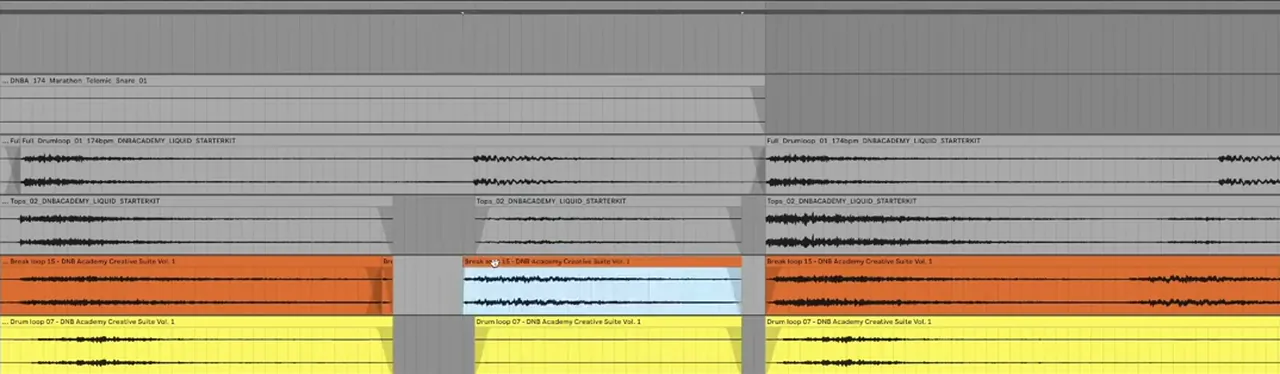
In his layering video Telomic starts from a fuller stack (watch at 1:14): his own kick and a clap-like snare from our 174 Marathon pack, a full drum loop and a top loop from the liquid starter kit, plus a break loop and a drum loop. The liquid drum loop is high-passed and cut up a little to rearrange some hits, the top loop is high-passed with a transient shaper on it, and the break loop is cut up with a transient shaper too.
Listen: the layered break before lining up the hits6 sec
Zoomed in, three of his loops are right on the grid, but the full drum loop at the top has swing: one hit is a little late, which “helps give the break its own feel” (watch at 2:47). Some producers will tell you to always pick one approach; Telomic switches depending on the tune. Here he keeps the swing, so he slices the other loops at each hit, shortens the pieces and drags them until they line up with the swung break (watch at 3:16).
After going through every hit, the whole break “feels a bit more cohesive”. One more optional trick: copy your snare onto one of the softer hits, line it up and turn it right down to make a ghost snare that beefs up the hit that is already there (watch at 5:15). For more on ghost notes, see the ghost snare pattern in our patterns guide.
6.Group the drums and duck the tops
Put the kick, the snares and the tops in their own groups inside one drum group. Then turn the tops down wherever the kick and snare hit, so the main hits stay focused and the layers fill the gaps between them.
In both videos Telomic groups his tracks: kick, snares (sometimes with the ghost snare, sometimes not) and tops, all inside a drums group (watch at 5:42). That makes it quick to level each part of the break and to put processing on the bus.
Then he “sidechains” the tops. His method is volume automation on a Utility on the tops group, with a dip at every kick (watch at 9:24). You can use a sidechain compressor instead; what matters is that the tops never clash with the kick and snare, the focal transient elements.
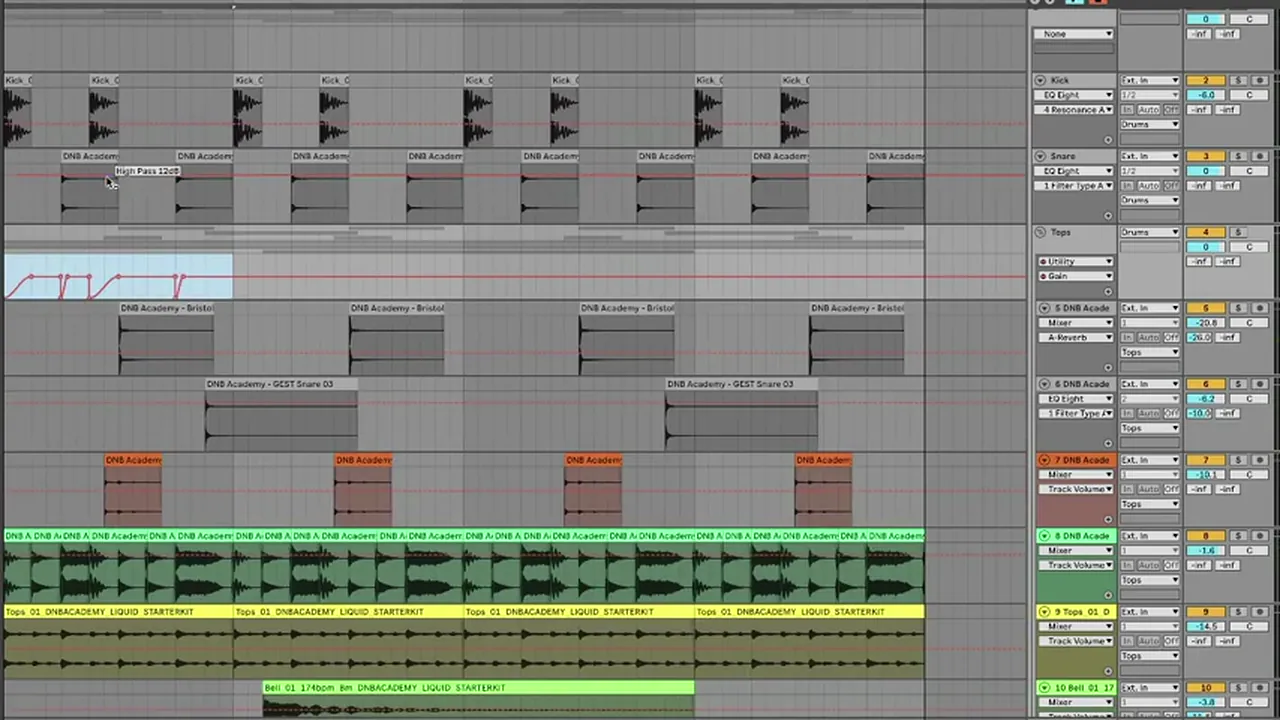
In the layering video he does the same thing with audio edits: he cuts the loops at each snare and kick and brings the level of those pieces down (watch at 6:41), and says a sidechain does the same job. Whether you duck at all depends on how live or focused you want the break: without it the live top elements of the breaks are more present; with it the beat is more focused on the kick and snare.
Listen: the same layers sliced to the swung break and ducked around kick and snare8 sec
7.Process the drum bus
On the tops, add a transient shaper and an EQ that removes any low end and the harshest highs. On the main drum bus, use light glue compression with soft clipping so the spiky transients never peak too hard. Then balance kick, snares and tops into that compressor.
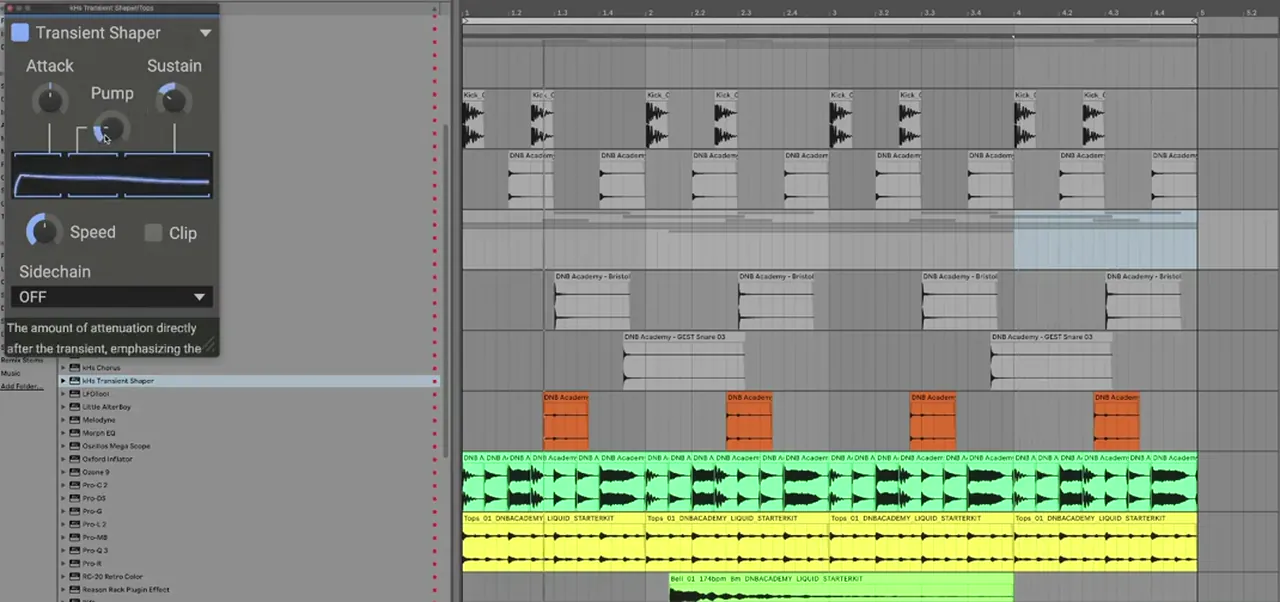
On the tops group Telomic adds a transient shaper (watch at 9:57) and another EQ to make sure no lows bleed through and to roll off some really harsh top end. A resonance suppressor such as soothe is an option for abrasive tops; he doesn’t think these are abrasive enough to need it.
Then the whole drums group gets Ableton’s Glue Compressor for light bus compression, with Soft clip switched on, and he drives the drums into the soft clipper (watch at 10:33). At this point in the video the threshold is at -15.2 dB with 9.84 dB of makeup at a ratio of 4. Your numbers will differ with your samples; watch for the clip light.
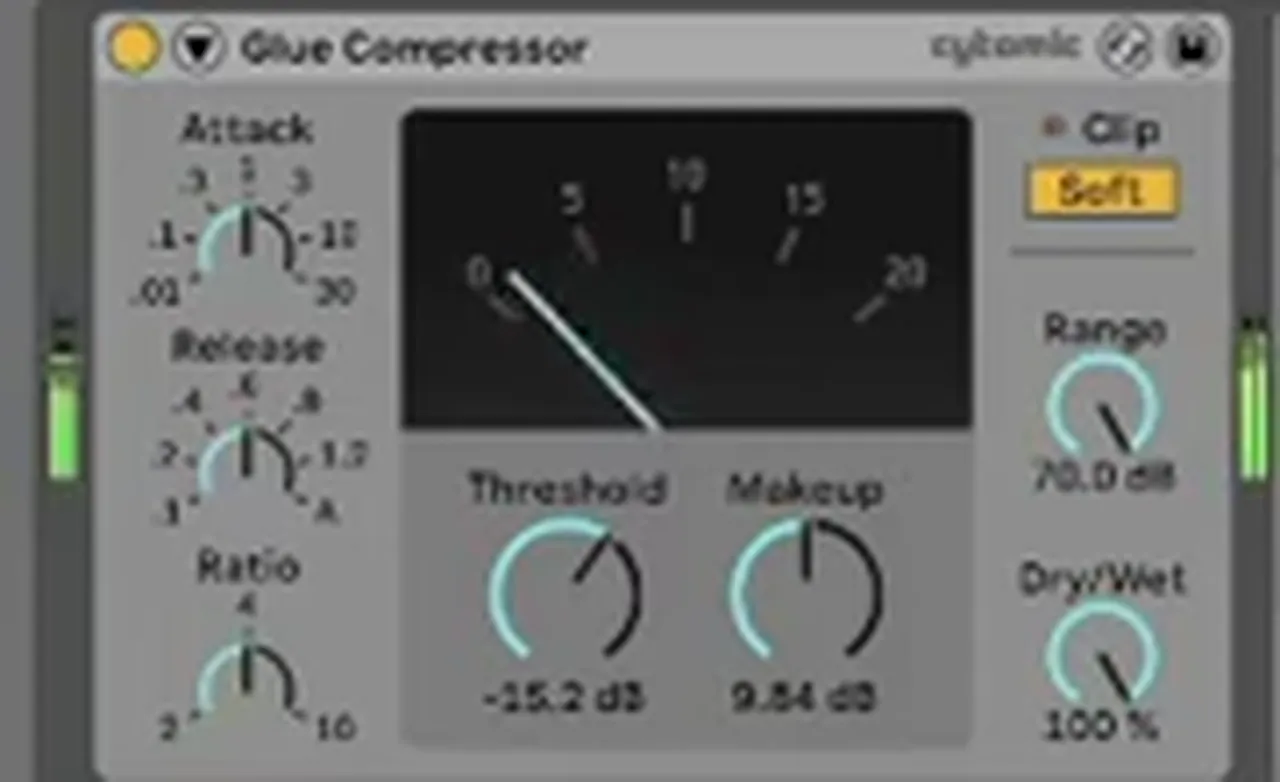
His reasoning is about loudness later on. “My general philosophy when it comes to getting tunes loud for mastering”, he says, is to make sure nothing peaks too hard (watch at 10:52). Good compression across the elements, and an arrangement without huge jumps between loud and quiet, make a consistent, loud master much easier. Finally he balances the kick, snare and tops groups, remembering that every level change also changes what hits the compressor. For more bus ideas, our punchy DnB drums guide covers parallel compression, soft clipping and snare layering.
8.Atmosphere: a very short drum reverb
For atmosphere without mush, send the drums to a tiny room reverb: no pre-delay and a very short decay. It sounds like a small drum room and gives the kit life without long tails covering the tight hits you just made.
Telomic’s drum reverb sits on return B (watch at 11:54). It is ValhallaRoom in Large Room mode with the mix at 100% (it is on a send), pre-delay 0.0 ms, decay 0.49 s, high cut 8000 Hz and depth 50%, followed by an EQ. Any stock reverb with a short room setting does the same job.
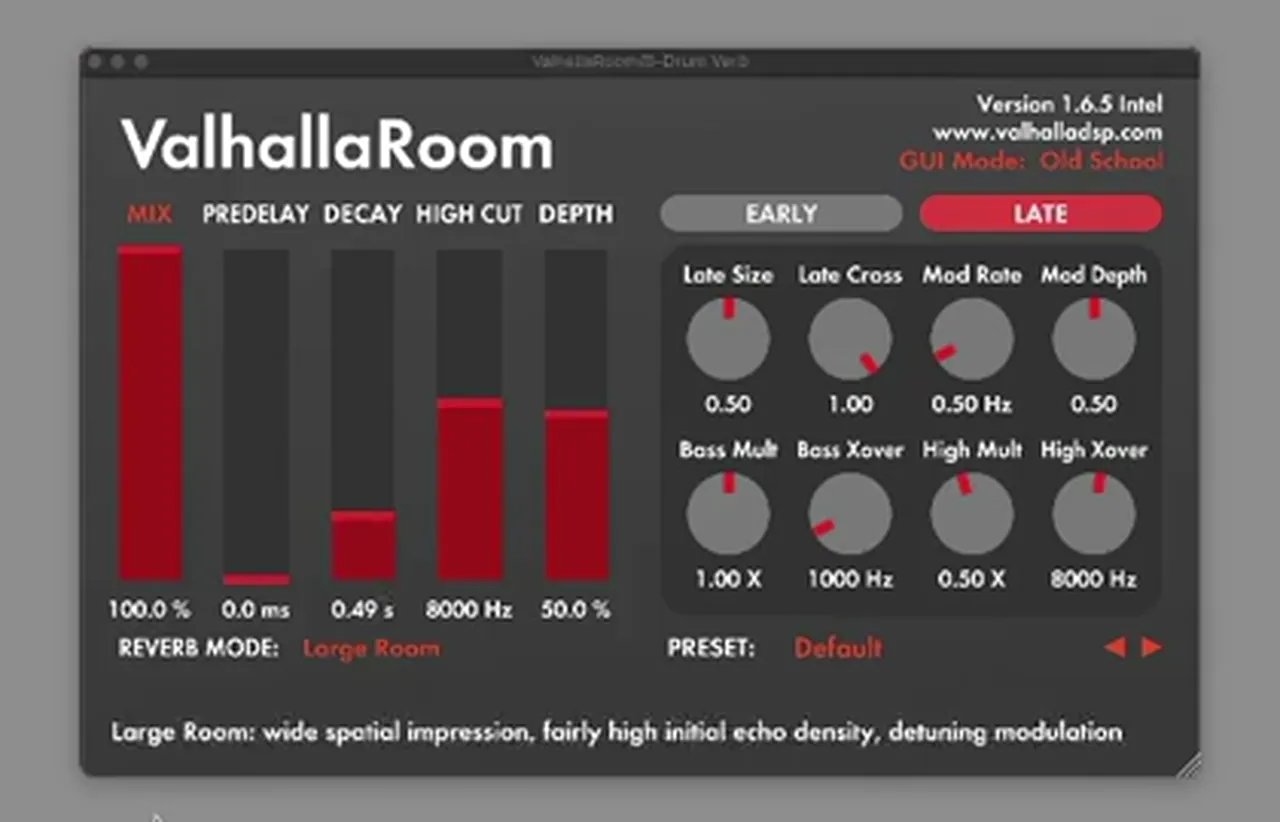
“Especially with these tighter sounds you don’t want it to get too messy,” he says. Save the long, washy reverbs for pads and chords. Our liquid DnB chords guide covers the chords and pianos that sit on top.
Listen: the finished atmospheric liquid beat with the bus processing and drum room5 sec
9.Fit the drums to the rest of the track
Liquid drums are only finished once the bass and chords are in. Come back to them with the full track playing: rebalance the layers, check the kick against the sub, and duck or high-pass more if the tops cloud the music.
This is the “processing is contextual” point from step 1. Once you have a sub, keep the kick and sub clear of each other; our DnB sub bass guide covers that. For a rolling liquid bassline on top of these drums, see our liquid DnB bass like Random Movement, and for a full liquid track in another DAW, how to make liquid drum and bass in FL Studio. Where liquid sits next to rollers and atmospheric DnB is in our subgenres guide.
Common liquid DnB drum mistakes
- Too many sounds. A handful of well-chosen samples layered carefully beats twenty loops fighting each other.
- Long, washy one-shots. Shorten the decay first, then add one short drum reverb for the whole kit.
- Full-range tops and breaks. Their low end muddies the kick. High-pass everything above the kick.
- Loops that don’t line up. A swung break against on-grid loops flams. Choose swing or tight, then slice the rest to match.
- Tops on top of the kick and snare. Duck them with automation, audio edits or sidechain so the main hits stay focused.
- Peaky transients. Glue the bus and soft clip so nothing peaks too hard; it makes the master easier later.
- Finishing the drums in solo. Tweak them again once the bass and chords are in.
Free download
Free samples for rolling liquid drums
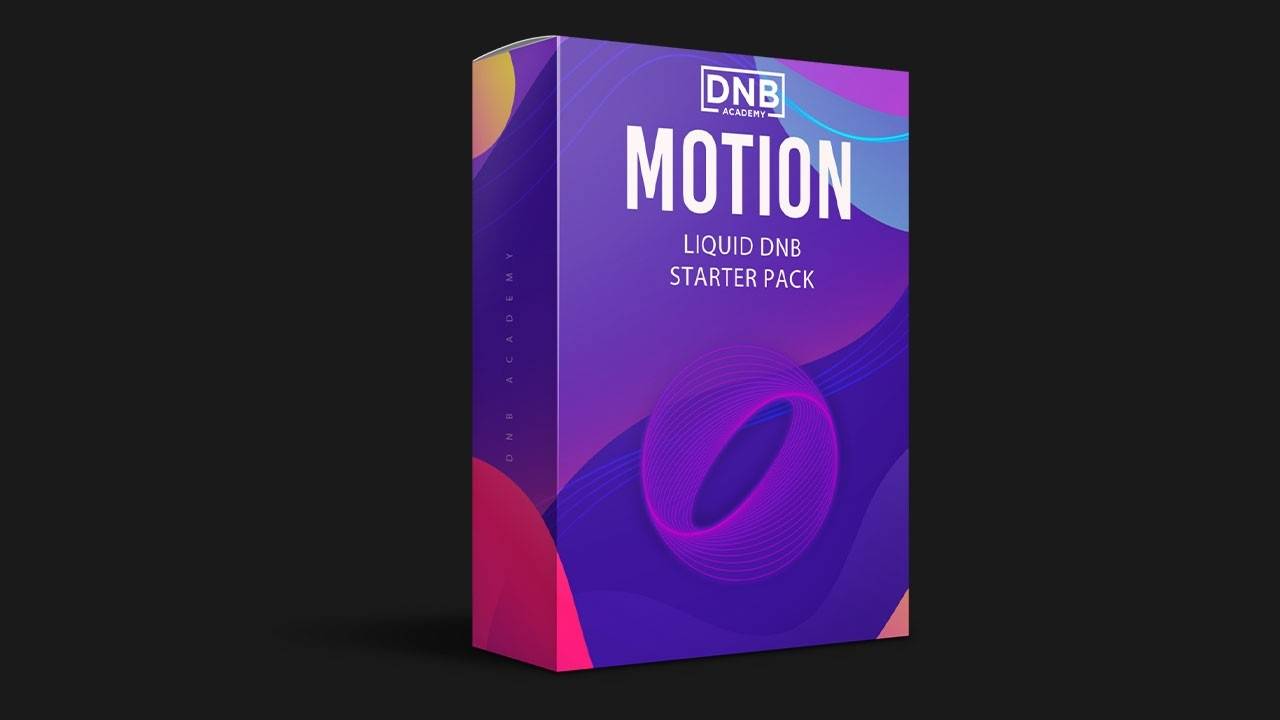
The quickest way to practise these steps is with a small, matched set of liquid sounds. The Motion Liquid DnB Starter Pack gives you:
- 16 kicks, snares and top loops for rolling liquid drums
- 10 musical and FX samples
- 26 royalty-free samples in total
- FL Studio project files (the samples work in any DAW)
It’s one of seven free sample and preset packs in DNB Academy Free Access, alongside the 174 Marathon pack, the mixing and mastering e-books and the 3‑day DnB challenge. Join 40,000+ producers in Free Access. Free account, no card needed.
Go deeper
Telomic’s course and more liquid drums
Want to see Telomic take a beat like this all the way to a finished track, or get more drums to layer?
 Production courseTelomic production courseA track from scratch in about 6 hours: music theory, bass synthesis and resampling, drums, atmospheres, arrangement, mixing and mastering, with the project file, stems, presets and samples.
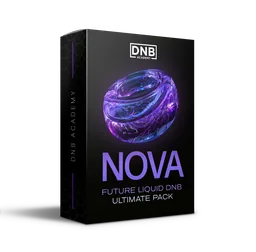 Sample packNova Future Liquid DNB sample packFuture and liquid DnB sounds: 25 drum loops, 15 top loops and 30 drum one-shots, plus bass loops, chords, melodies and 20 Serum presets.
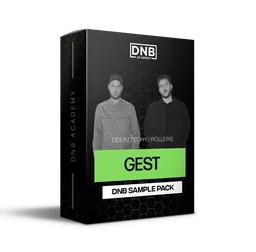 Sample packGEST sample packPrecise, techy drums and FX from GEST: 75 drum one-shots, 25 drum construction kit loops and 20 perc loops among 290 royalty-free sounds.
Every artist course, preset bundle and sample pack is also in The Vault. Browse courses
Related tutorials
All tutorials → Drums · PatternsDrum and Bass Drum Patterns: How to Program DnB Beats14 min read · Video + guide
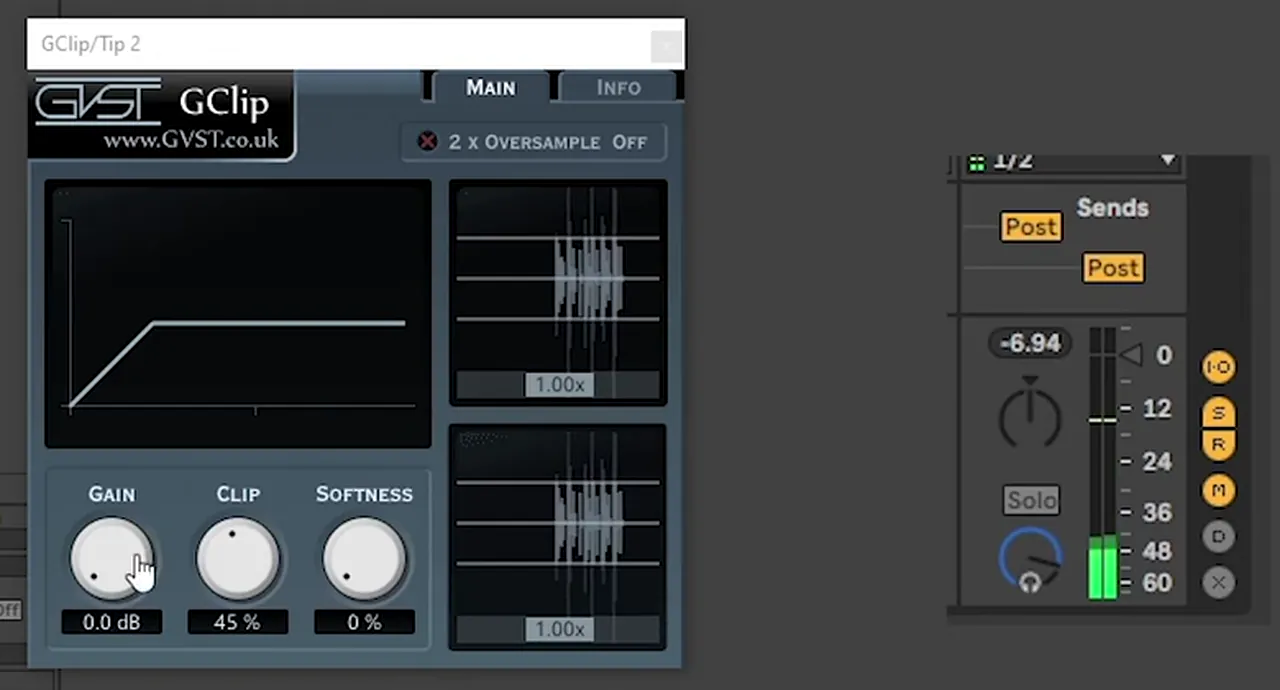 Mixing · DrumsHow to Make DNB Drums Punchy: 3 Techniques That Work8 min read · Video + guide
 FL Studio · LiquidHow to Make Liquid Drum and Bass in FL Studio11 min read · Video + guide
 Liquid · ChordsHow to Write Liquid Drum and Bass Chords and Pianos18 min read · Video + guide
FAQ: liquid DnB drums
What makes liquid DnB drums different?
The kick and snare stay simple, and the feel comes from softer layers rolling underneath: short percussion one-shots, top loops and breaks, high-passed and tucked around the main hits. A short room reverb adds atmosphere without long tails, so the beat sounds smooth and busy at the same time.
What BPM are liquid DnB drums?
Both of our liquid drum videos run at 174 BPM, which is a common tempo for liquid drum and bass. Most DnB sits around 170 to 175 BPM.
How do you layer drum breaks in liquid DnB?
High-pass the breaks and top loops so only the kick carries the low end, then line their hits up. If one break has swing, either keep its swing and slice the other loops to match it, or go for a tight on-grid feel. Group the layers and duck them around the kick and snare.
Should liquid DnB drums be swung or on the grid?
Either works. A swung break gives the beat its own groove, while on-grid loops sound tighter and more precise. Telomic switches between the two depending on the tune. What matters is that all your layers agree, so slice and move hits until they line up.
How do you sidechain top loops to the kick and snare?
Turn the tops down wherever the kick and snare hit. Telomic does it with volume automation on a Utility on the tops group, or by cutting the audio at each hit and lowering those pieces. A sidechain compressor or sidechained utility works too.
What reverb should you use on liquid DnB drums?
A very short room on a send: in our video, ValhallaRoom with 0 ms pre-delay and a 0.49 s decay. It sounds like a small drum room and adds life without masking the tight hits. Keep the long, washy reverbs for pads and chords.
Next steps
Pick eight samples, program a four-bar kick and snare, then add one break and one top loop using the steps above. Once it rolls, write the music on top:
Free Access
Seven free DnB sample and preset packs, including the Motion Liquid DnB Starter Pack, plus mixing and mastering e-books and a 3-day challenge.
Get free packsThe full guide
Tempo, drums, sub, mid bass, chords, arrangement and mixdown: every step of a DnB track.
Read the guideDNB Foundations
A structured drum and bass course with weekly live feedback calls on your tracks, drums included.
See Foundations1:1 Mentorship
Personal guidance on your music from a mentor, built around your goals.
See the mentorship50,000+ producers have joined DNB Academy, and our producer Discord has 5,300+ members.